








Aligned
Help buyers choose - with everything in one place
About
Aligned is pioneering the new way that B2B revenue teams interact with customers in today's remote, digital era.
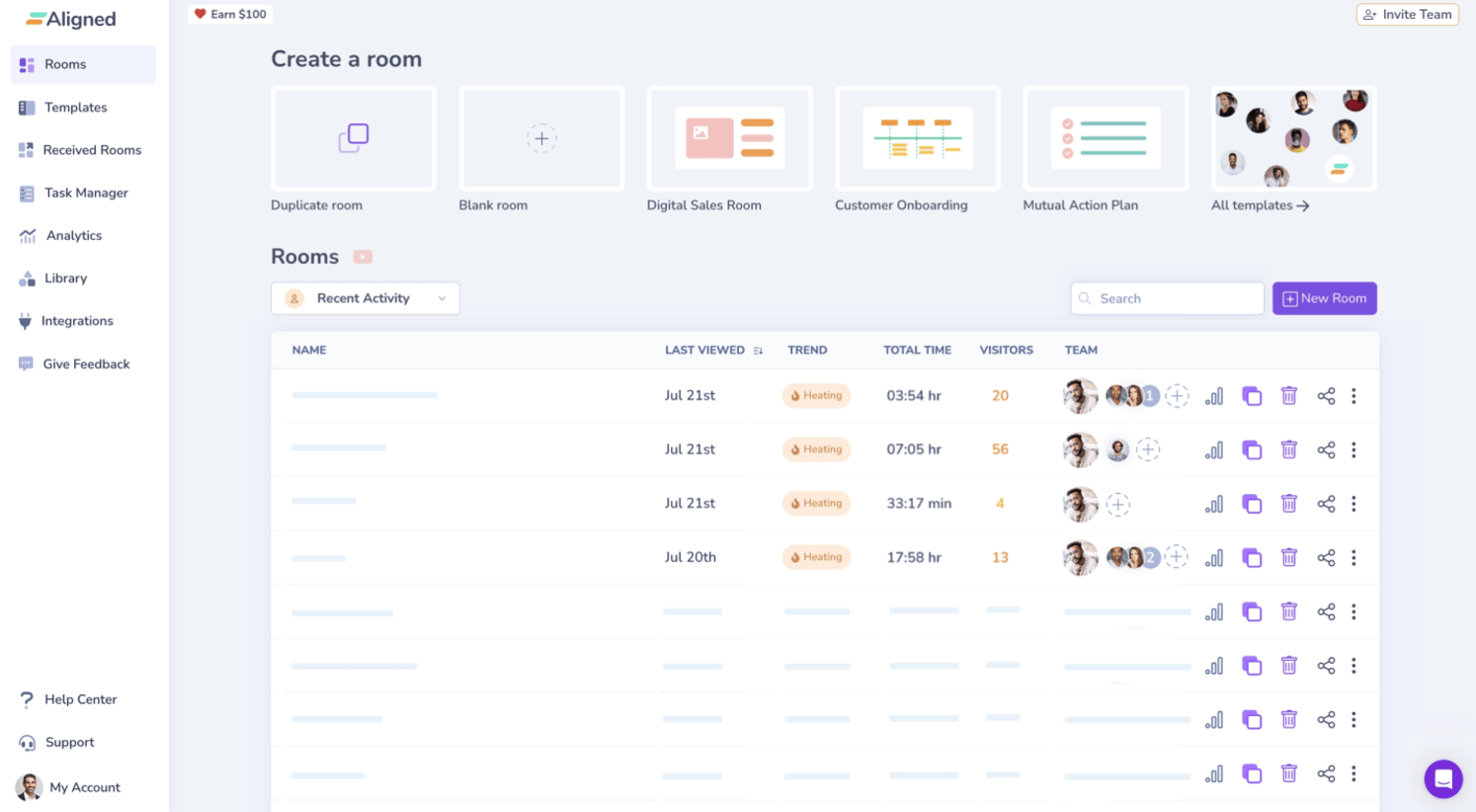
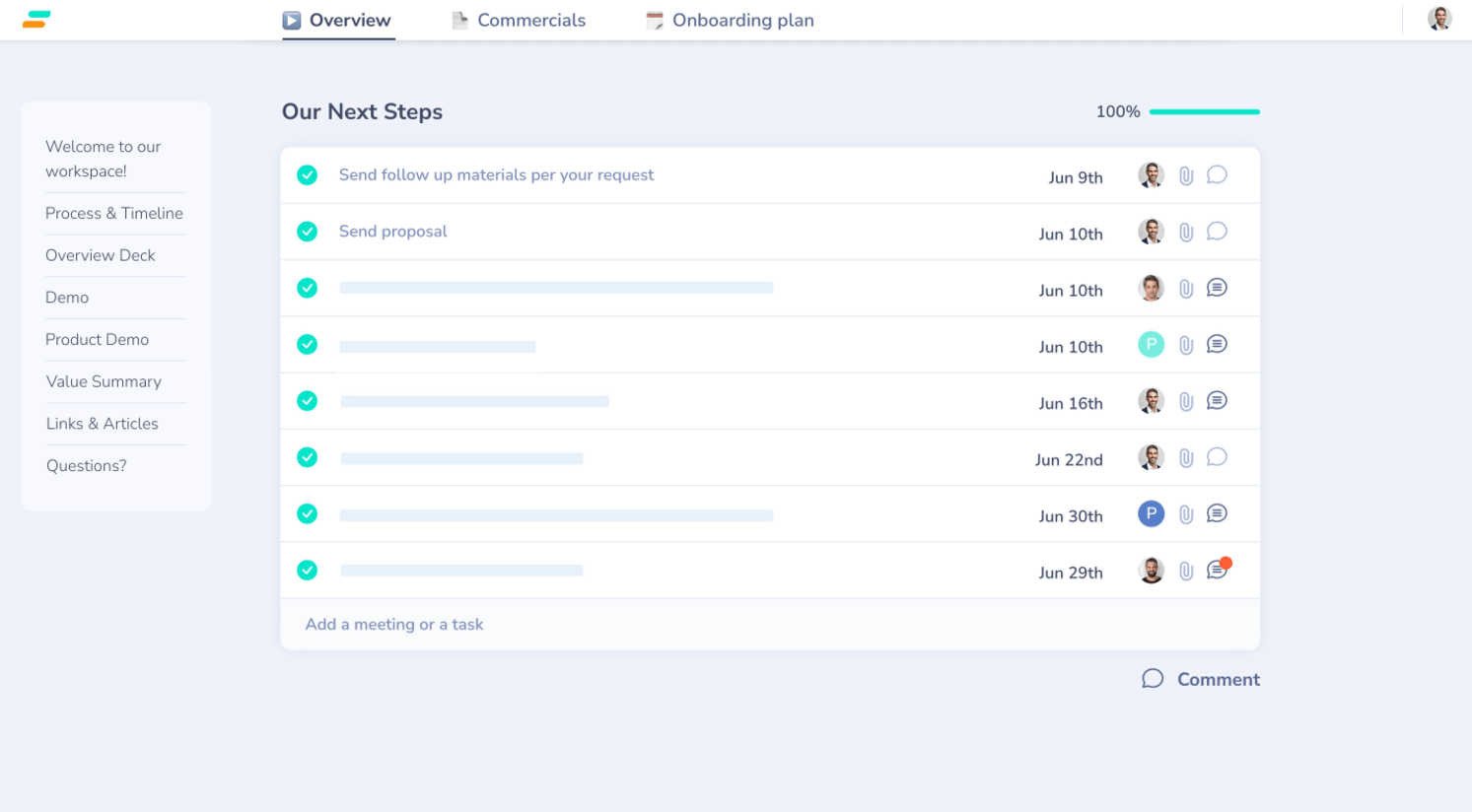
Instead of customers juggling multiple email threads, attachments & tools, they have all resources in front of them in a single shared workspace for easy decisions. Nothing gets buried and forgotten in threads. All stakeholders join and collaborate, instead of staying behind the scenes. Both sides manage mutual action plans to keep things on track, and reps can analyze buyer risks and intent.
Companies like Deel, Productboard, and SimilarWeb use it to win more deals and close 45% faster.
This integration allows users to embed Gong Calls in Aligned workspaces and to see Aligned Room events inside the Gong timeline.
Instead of customers juggling multiple email threads, attachments & tools, they have all resources in front of them in a single shared workspace for easy decisions. Nothing gets buried and forgotten in threads. All stakeholders join and collaborate, instead of staying behind the scenes. Both sides manage mutual action plans to keep things on track, and reps can analyze buyer risks and intent.
Companies like Deel, Productboard, and SimilarWeb use it to win more deals and close 45% faster.
This integration allows users to embed Gong Calls in Aligned workspaces and to see Aligned Room events inside the Gong timeline.
Media
Features

Embed Gong Calls in Aligned
Embed Gong Calls in Aligned Workspaces to streamline sales processes and increase visibility for stakeholders in a personalized, sharable resource.
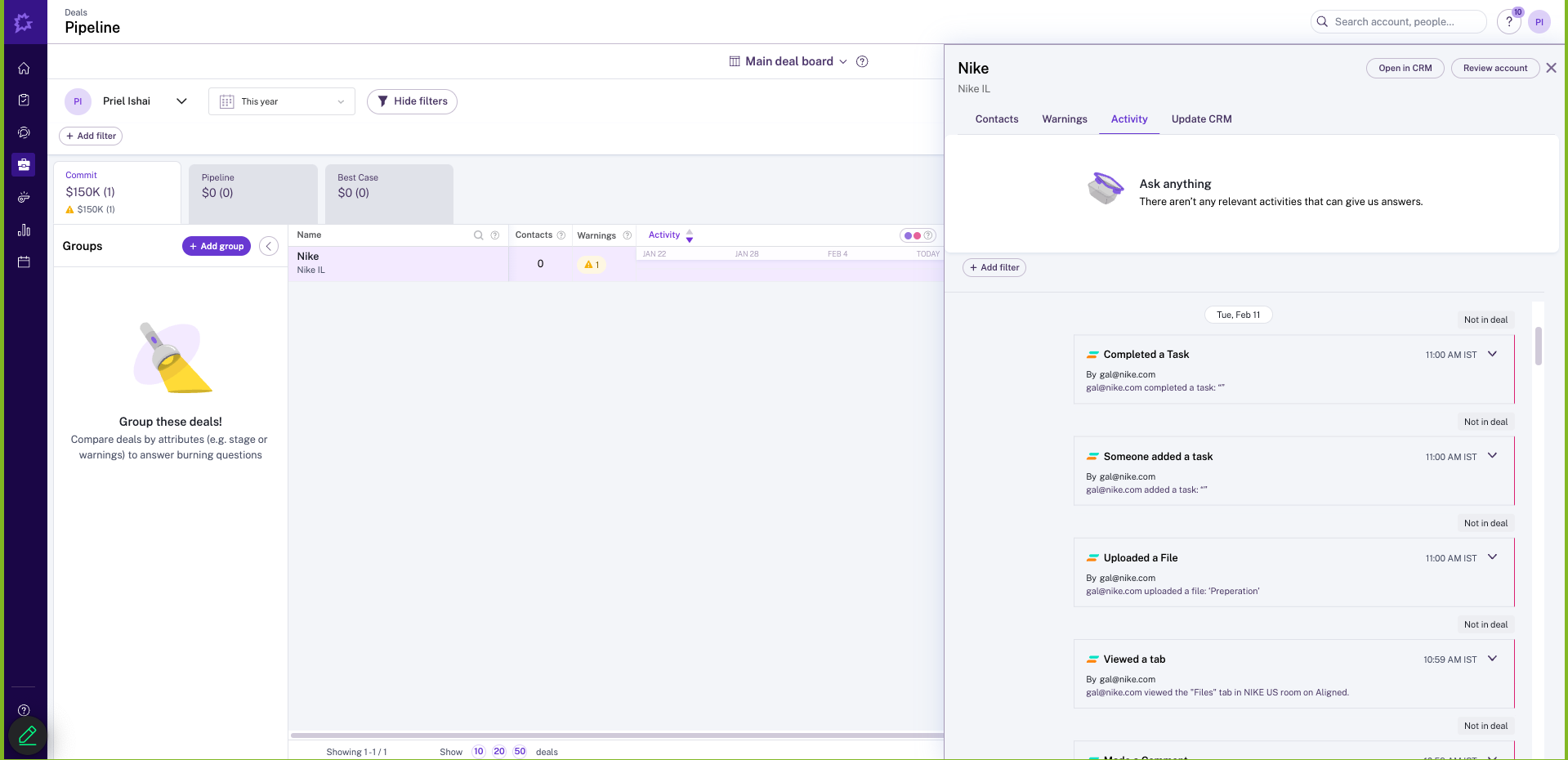
Push Aligned Events to Activity Timelines
Benefits
See Buyers events from Aligned in Activity Timelines
FAQ
- Your Aligned account email must match your Gong account email to connect.
- Your Gong account can only belong to one workspace to connect.
- When selecting a call, we only show non-private calls and calls in Public Folders.
- We don't show any calls set as private, even if they are your own calls.
- Your Aligned & Gong accounts must be connected to Salesforce or Hubspot in order to see Aligned activities in the Gong timeline
Integration Diagrams
Data
Gong Calls
Gong Calls
Activity Timeline
Activity Timeline

Data
Aligned
Aligned
Buyer Activity
Buyer Activity
Requirements
Subscriptions Required
Must have Aligned Pro or Enterprise subscription
Must have Gong subscription
Some features requires a separate subscription from SalesForce or HubSpot
Must have Gong subscription
Some features requires a separate subscription from SalesForce or HubSpot
Authenticating User Requirements
To authenticate this integration for the first time, a user must be a Gong Tech Admin and have admin permissions in Aligned
Connect
- Log in to Aligned.
- Go to the Integration page.
- Click Connect on the Gong integration and follow the approval flow
- Once connected, you’ll see an option to embed a Gong video in your Aligned Workspace
- Inside the Gong timeline you'll be able to filter by Aligned room events