









AppOmni
AppOmni secures SaaS environments with unmatched depth, offering continuous monitoring, simplified compliance, and enhanced visibility into SaaS risks for business-critical applications.
About
Secure every Gong conversation. AppOmni gives your team visibility into who has access flags potential threats, and identifies risky third-party connections. Minimize your SaaS blast radius and meet your compliance needs with ease.
Media
Features

Secure Gong with AppOmni
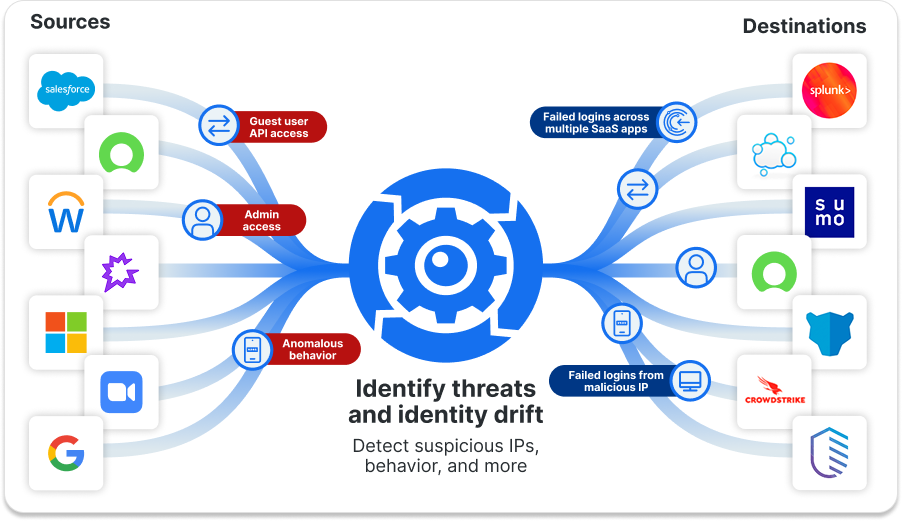
Unlock SaaS Identity and Threat Insights with AppOmni + Gong
- Data Access Monitoring: Monitor user permissions and roles.
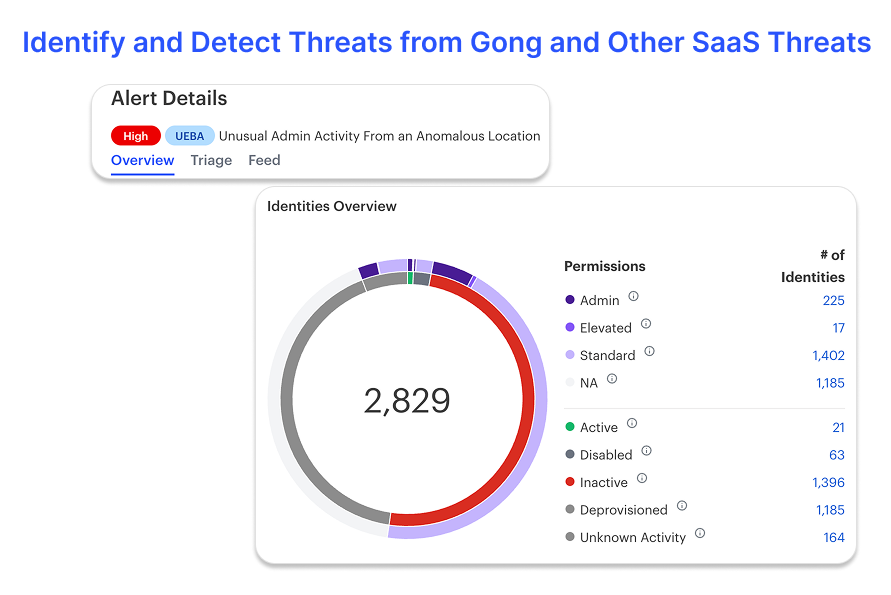
- UEBA: Monitor user activity within Gong, identifying potentially suspicious behavior.
- Identities & Access Governance: Get a clear view of all user identities and their access permissions in Gong.
- AskOmni: SaaS security can be confusing and technical. AskOmni is an AI companion to make security simple and easy for your team.

AppOmni-Gong integration
AppOmni connects to Gong using open authorization (OAuth). By collecting metadata with least priveledge, AppOmni gains insights you need to secure Gong and other SaaS Applications.
Benefits

Key Benefits of AppOmni and Gong Integration
- Gain Visibility: See Gong usage within a SaaS environment, including user activity and configurations.
- Detect Threats: Monitor for suspicious activities or potential data exposures related to Gong.
- Protect Sensitive Data: Link identity signals to data movement to stop exfiltration.
- Maintain Compliance: Ensure Gong is configured and used in a way that aligns with security policies and compliance requirements.
• Complete SaaS Risk Picture: Combine posture, identity, and behavior insights.
FAQ
Integration Diagrams
Data
User
User

Data
User
User
Requirements
Authenticating User Requirements
To authenticate this integration for the first time, a user must be a Gong Tech Admin and have Service Onboarding permissions in AppOmni
Subscriptions Required
Must have an active AppOmni license
Must have Gong core license subscription
Must have Gong core license subscription
Connect
- Log into your AppOmni account
- Select Gong as the option to onboard
- if you have not already done so, log in to Gong as a user with the Technical Administrator role.
- While logged in to Gong, click Allow to authorize the connection
- The new monitored service will be connected. AppOmni will immediately start synchronizing data and event logs