







Chambr: AI Sales Roleplay and Real Call Scoring
Score every Gong call, then let reps get tailored coaching and practice their gaps with AI buyers.
About
Chambr is an AI sales roleplay and coaching platform. Reps practice live voice calls with AI buyers and are scored against their team's own scorecard.
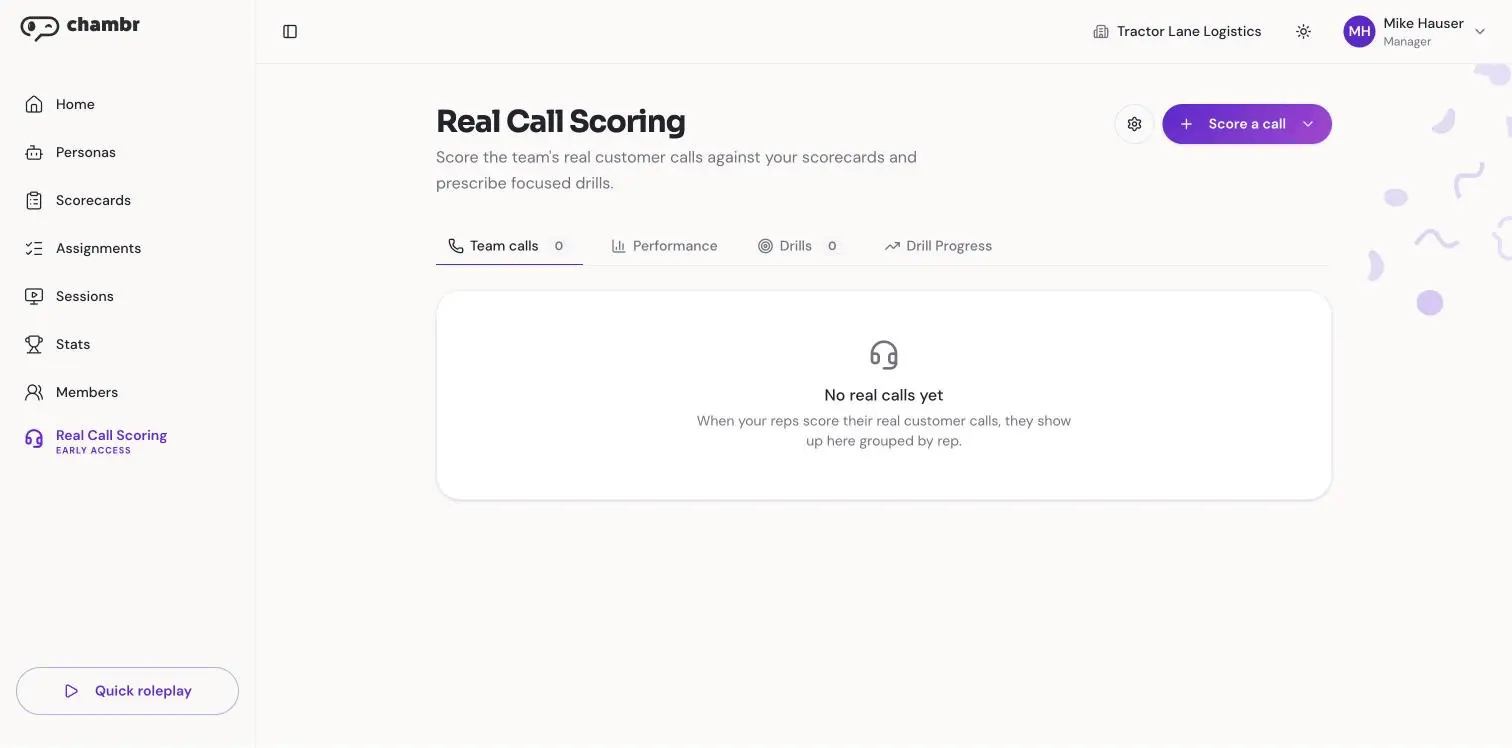
This integration brings your Gong calls into Chambr. Each real call is scored against the desired scorecard. Managers see where every rep is strong and where they fall short. The gaps become roleplay drills, so reps practice exactly what they missed.
This integration brings your Gong calls into Chambr. Each real call is scored against the desired scorecard. Managers see where every rep is strong and where they fall short. The gaps become roleplay drills, so reps practice exactly what they missed.
Media
Features

Use Gong Data in Chambr
Import Gong calls with their transcripts and recordings, and score each one against the desired scorecard. Pick calls yourself, or let Chambr score new calls automatically.
Benefits

See Every Rep's Skill Gaps
Managers see each rep's scores and gaps across all scored calls in one view, without listening to hours of recordings.

Turn Call Gaps into Practice
Skills a rep misses on real calls become AI roleplay drills, so they practice that moment before their next call.
FAQ
Calls (title, date, length, speakers), transcripts, recordings, and your Gong user list so each call can be matched to the right rep by email. Access is read-only.
No. Chambr never changes or adds anything in Gong.
No. Calls marked private in Gong are always skipped.
A manager on your Chambr team, plus a Gong user who is allowed to approve app access.
Chambr skips calls that aren't sales calls, like internal meetings, and calls it can't match to a rep on your Chambr team.
Integration Diagrams
Read-only. Chambr reads calls, transcripts, recordings and users from Gong. It never writes to Gong, and private calls are never imported.
Data
Calls
Calls

Data
Skill Assessments
Skill Assessments
Requirements
Subscriptions Required
A Gong account, plus a Chambr plan with Real Call Scoring
Authenticating User Requirements
Must be a Gong tech admin and a manager on your Chambr team
Connect
- In Chambr, open Real Call Scoring (you need a manager account).
- Click Score a call, then Import from a recorder, then Gong.
- Confirm your company has consent to record and analyze its calls, then click Connect Gong.
- Sign in to Gong and click Allow. Chambr gets read-only access.
- Pick calls to score, or turn on automatic scoring so new calls are scored as they come in.