

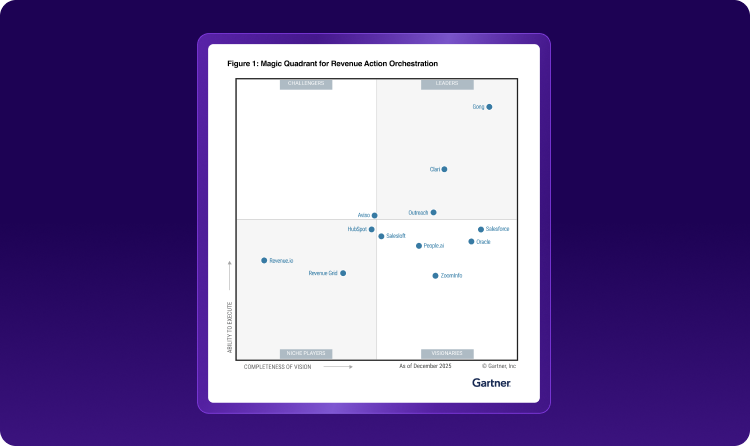



Clozd for Gong
Decision intelligence and win-loss insights powered by Clozd and Gong
About
Clozd is the leader in decision intelligence. We talk directly with your buyers after every decision to uncover why you win, lose, and retain customers.
Gong shows what happened during the sales process. Clozd shows why the buyer decided. Together, they give revenue teams a complete view of every deal, from the first call to the final decision. Clozd analyzes your Gong calls for win-loss insights, compares them with what buyers say after the decision, and sends buyer interviews back into Gong so sellers and Gong AI can act on them.
Gong shows what happened during the sales process. Clozd shows why the buyer decided. Together, they give revenue teams a complete view of every deal, from the first call to the final decision. Clozd analyzes your Gong calls for win-loss insights, compares them with what buyers say after the decision, and sends buyer interviews back into Gong so sellers and Gong AI can act on them.
Media
Features
Win-loss analysis of every Gong call
Clozd imports Gong calls and analyzes them the same way it analyzes buyer interviews: it tags Decision Drivers, flags competitor mentions, and summarizes what happened on each call. Clozd then uses this to build an initial deal summary that tells the story of the deal, even before a buyer interview happens.
One summary of why the deal was won or lost
When a deal has both Gong calls and buyer feedback, Clozd compares what was said during the sales process with what the buyer shared after the decision. It then combines both into one summary of why the deal was won or lost, and points out where the two sources agree and where they differ.

Find the right people to interview
Clozd uses Gong call data to see which buyers were most involved in each deal. If someone isn't already on the deal in Clozd, Clozd adds them, which helps when CRM contact records are incomplete.
Send Clozd interviews to Gong
Published buyer interviews show up in Gong, and you choose the format:
- As a call: Gong AI features like Ask Anything and account summaries can use the interview.
- As a digital interaction: the Clozd summary and Decision Drivers show on the account timeline.
Both formats link back to the full analysis in Clozd.
Benefits

Get win-loss insights on every deal
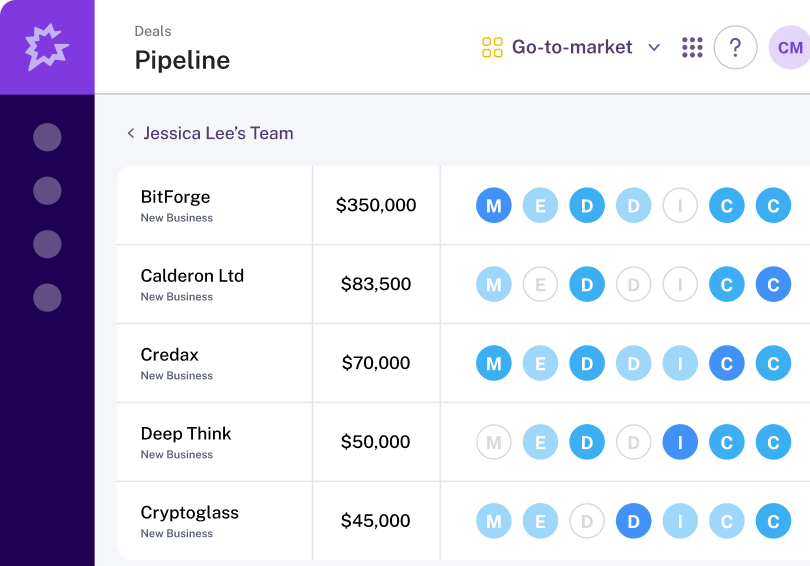
Gong calls give you an early read on why deals are won or lost, even before a buyer interview.
Interview the right buyer
Gong call data points interviews at the buyers who were most involved in each deal.

Put buyer feedback where sellers work
Buyer interviews sit next to calls in Gong, so reps and Gong AI use them when reviewing accounts and pipeline.
FAQ
Yes. Most teams set it up themselves using our Gong Integration guide, and your Clozd customer success team can walk you through it.
Connecting takes a few minutes. Deal data shows up in Clozd within about 15 minutes.
- Gong Tech Admin permissions
- Admin permissions in Clozd
- Gong connected to your CRM, because Clozd matches calls to deals using CRM opportunity IDs
Yes. Connect Clozd with a Gong user that only has access to the workspaces you want to share. Clozd then imports calls only from those workspaces. Existing connections keep working without changes.
Gong calls show what buyers said during the sales process. Buyers speak differently after they make a decision, and Clozd interviews capture that. Clozd analyzes both sources the same way, then combines them into one summary of why each deal was won or lost.
Clozd tags Decision Drivers, flags competitor mentions, and summarizes what happened on each call. It uses this to build a deal summary, even for deals that don't have a buyer interview yet.
Users only see Gong transcripts on deals they already have permission to access. They can search and comment on transcripts but can't edit them.
- Calls send the interview audio and transcript, which Gong AI features like Ask Anything and account summaries can use.
- Digital interactions show the Clozd summary and Decision Drivers on the account timeline, but Gong AI doesn't use them.
Both link back to the full analysis in Clozd. You choose the format in your Clozd Gong settings.
No. Only interviews published after you turn the feature on are sent to Gong.
Yes. You can turn sending on or off at any time in your Clozd Gong settings.
Integration Diagrams
Data
Gong Calls & Data
Gong Calls & Data
Calls & Digital Interactions
Calls & Digital Interactions

Data
Clozd
Clozd
Buyer Interviews
Buyer Interviews
Requirements
Subscription Requirements
This integration is available to all Gong and Clozd customers
Authentication Requirements
To connect for the first time, a user needs Gong Tech Admin permissions and admin permissions in Clozd. Gong must be connected to your CRM. Companies that limit Gong access can connect with a Gong user that only has access to selected workspaces.
Connect
Connect Gong in Clozd under Configuration → Settings → Integrations. Full setup instructions are in the Clozd Gong Integration guide.