








CRM Connect for NetSuite
CRM Connect for NetSuite CRM
About
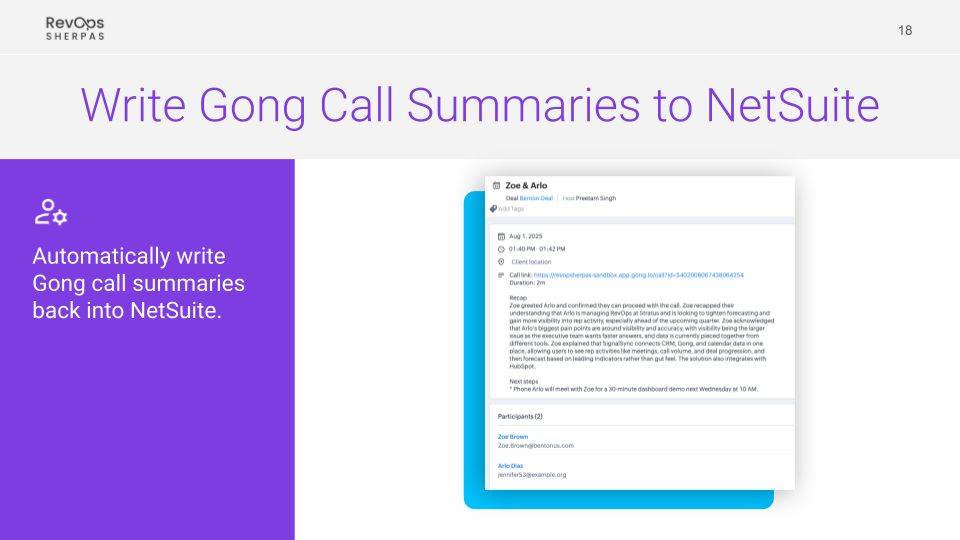
Integrate Gong and NetSuite into a single, aligned revenue system. CRM Connect keeps key CRM data flowing from NetSuite into Gong while writing Gong call summaries back into NetSuite, helping both systems stay current. The result is better visibility, stronger insights, and less manual work across your revenue workflow.
Start a two-week trial to evaluate CRM Connect and see the value firsthand.
Start a two-week trial to evaluate CRM Connect and see the value firsthand.
Media
Features

Connected Revenue Data Across Gong and NetSuite
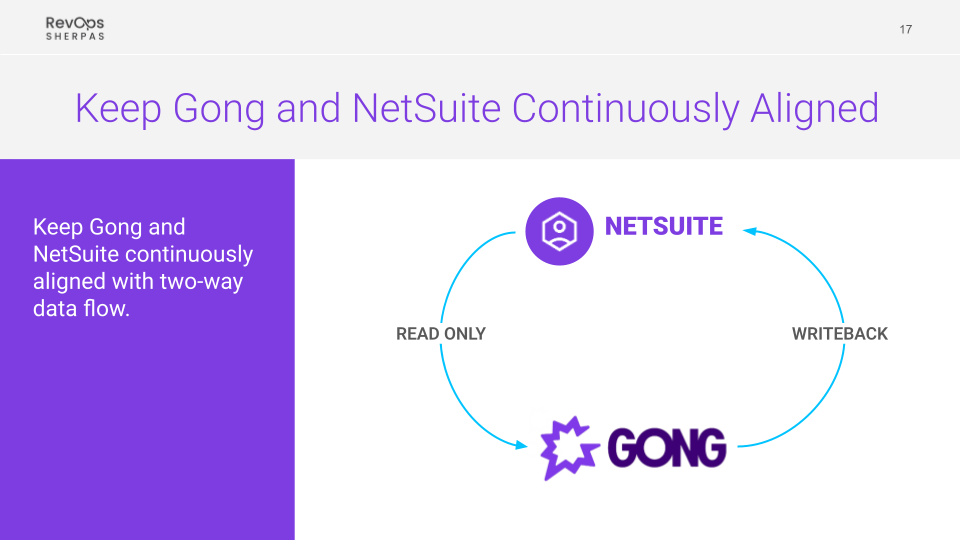
Connect Gong and NetSuite into a single, aligned revenue system—positioning Gong as the system of insight and NetSuite as the system of record for sales transactions, with data continuously flowing between the two.
- Gong as Your System of Insight: Leverage Gong for AI-driven insights, forecasting, coaching, and deal analysis while maintaining your core sales data in NetSuite.
- NetSuite as Your Transactional Backbone: Manage accounts, contacts, leads, and deal updates in NetSuite, with that data continuously reflected in Gong.
- Aligned Workflows: Ensure activity in one system is reflected in the other, reducing gaps between execution and analysis.
Continuous Data Alignment
Keep Gong and NetSuite continuously aligned with automated, reliable data flows across both systems.
- Bi-Directional Data Flow: Sync CRM data from NetSuite into Gong while automatically adding call summaries back to NetSuite.
- Trusted Data Across Systems: Ensure both Gong and NetSuite reflect the same, up-to-date revenue data.
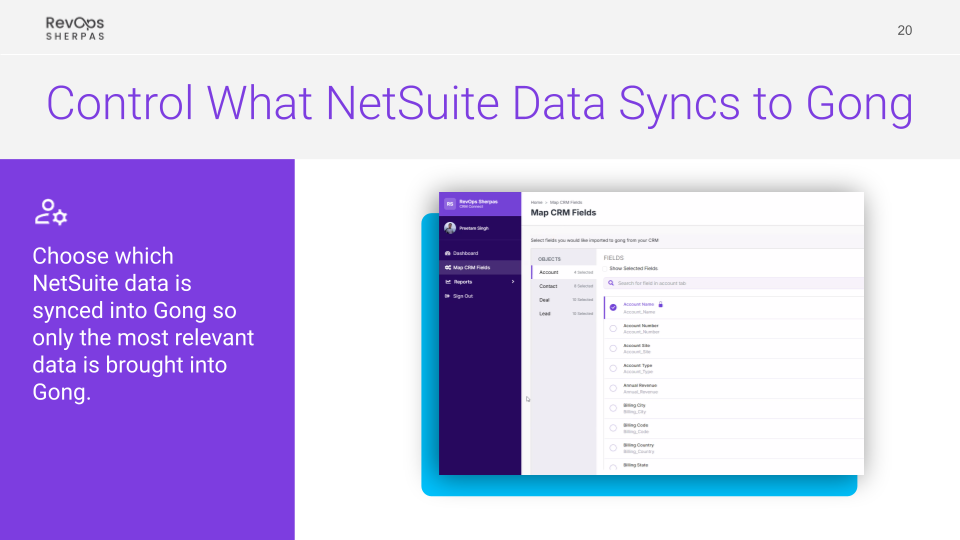
- Selective Data Sync: Choose which NetSuite fields to bring into Gong so you maintain a clean, focused data model without unnecessary clutter.
Benefits

Improved Decision-Making
Access consistent, reliable data across Gong and NetSuite, enabling more informed deal reviews and strategic decisions.

Enhanced Revenue Insights
Combine NetSuite CRM data with Gong insights to gain a clearer, more complete view of pipeline performance and forecasting.

Increased Team Efficiency
Reduce manual updates and context switching by keeping Gong and NetSuite continuously aligned.
FAQ
CRM Connect for NetSuite keeps Gong and NetSuite continuously aligned through a secure managed integration, syncing key NetSuite CRM data into Gong and writing Gong call summaries back into NetSuite.
Connecting Gong and NetSuite gives Gong the CRM context it needs for better insight, visibility, and decision-making, while NetSuite stays updated with important Gong call summaries. This helps teams reduce manual work, reduce context switching, and stay aligned across systems.
CRM Connect syncs core NetSuite CRM data such as accounts, contacts, leads, and deals into Gong, and writes Gong call summaries back into NetSuite. This creates a two-way data flow that helps keep both systems current and aligned.
CRM Connect has two components: an annual subscription of $360 per Gong Foundation user and a one-time implementation fee that typically ranges from $500 to $750. Subscription pricing is volume-based, so per-user cost decreases at higher user counts. A $5,000 annual minimum spend applies.
Yes. CRM Connect supports selective field mapping, so you can choose which NetSuite data is synced into Gong so only the most relevant data is brought into Gong.
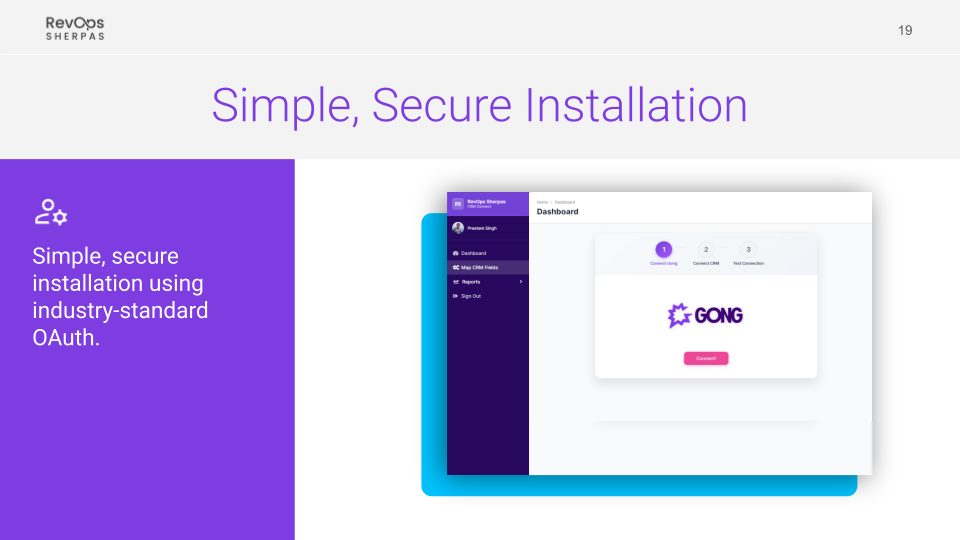
CRM Connect uses a simple, secure installation process based on industry-standard OAuth authentication and a least-privilege access model.
Not all Gong features are supported when using the Gong CRM API. Gong Engage is not supported, Gong Forecast is limited to import-based functionality, and Gong Deal Board inline editing is not currently supported. For the latest compatibility details by product line, view Gong’s CRM compatibility documentation.
Integration Diagrams
Data
Accounts,Contacts,Deals,Leads,Users,Stages
Accounts,Contacts,Deals,Leads,Users,Stages
Call Summaries
Call Summaries

Data
Customers,Contacts,Opportunities,Employees,Entity Statuses
Customers,Contacts,Opportunities,Employees,Entity Statuses
Events
Events
Requirements
Subscriptions Required
- Gong
- NetSuite
Authenticating User Requirements
- Gong: OAuth
- NetSuite: OAuth
Connect
- Contact RevOps Sherpas to start your CRM Connect installation.
- Connect NetSuite and Gong using industry-standard OAuth authentication.
- Confirm the NetSuite fields you want synced into Gong.
- Validate the connection and begin syncing data.