





Discera
Competitive and buyer intelligence. One knowledge base.
About
Discera is an AI-native competitive and buyer intelligence platform for product marketing and competitive intelligence teams. AI agents track your competitors' websites and analyze your sales calls, and your team approves what enters the knowledge base.
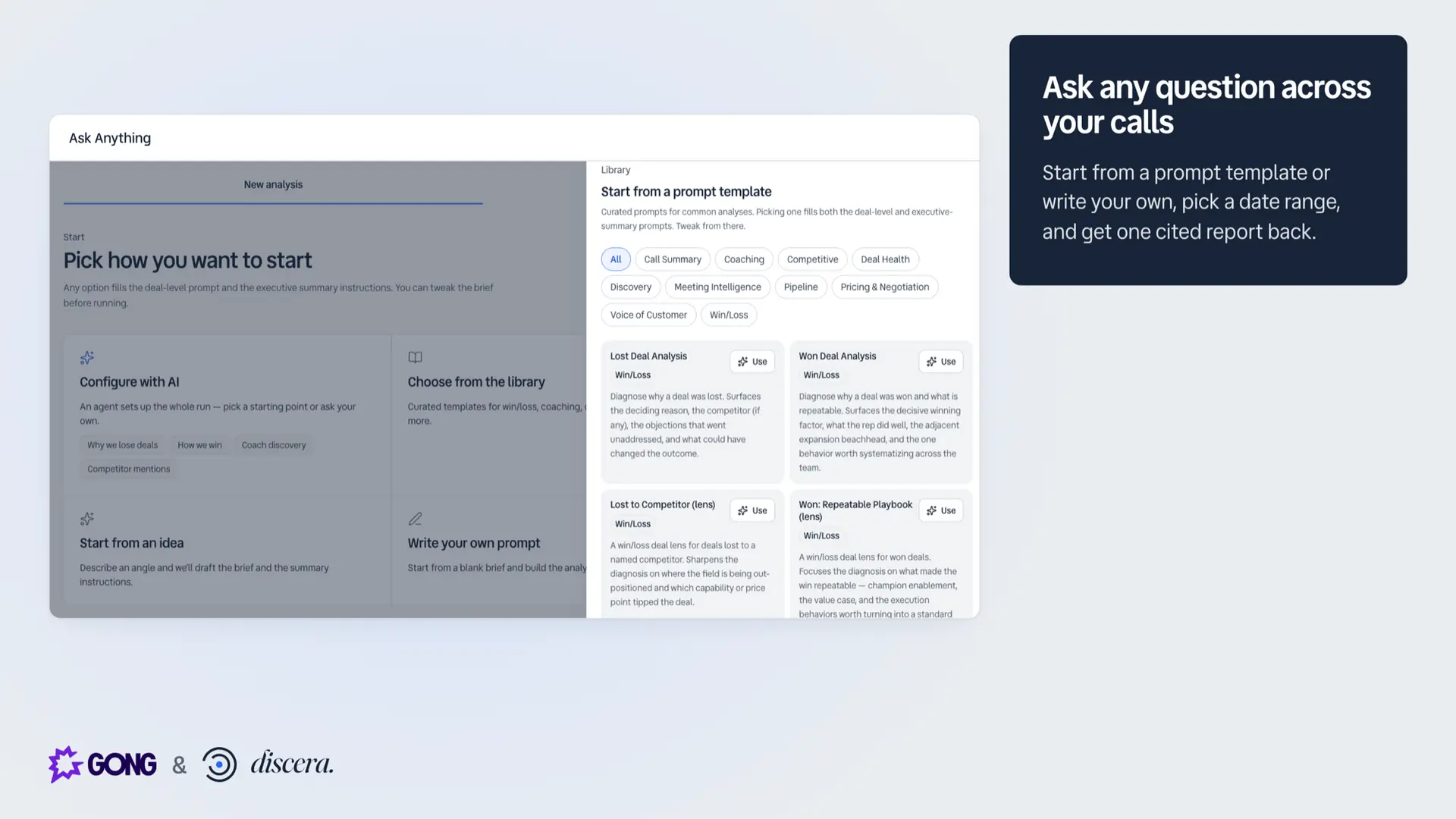
The Gong integration reads your call metadata and transcripts, read-only, so you can see what buyers say about each competitor, ask any question across your calls, and learn why deals were won or lost. Win/loss by deal requires Gong and HubSpot.
The Gong integration reads your call metadata and transcripts, read-only, so you can see what buyers say about each competitor, ask any question across your calls, and learn why deals were won or lost. Win/loss by deal requires Gong and HubSpot.
Media
Features

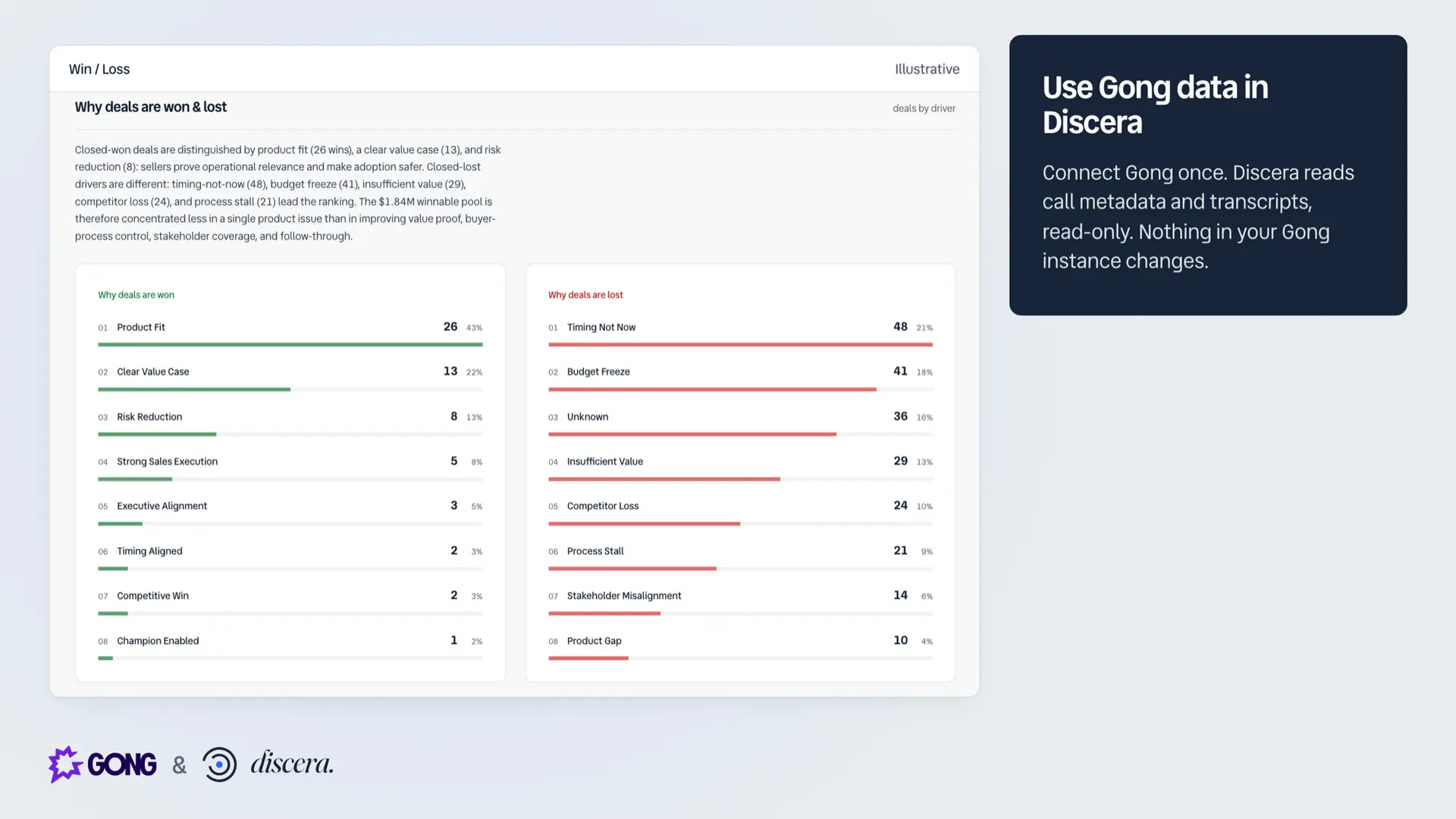
Use Gong Data in Discera
Discera reads Gong call metadata and transcripts to produce competitive and win/loss analysis, with the source calls cited.
Benefits

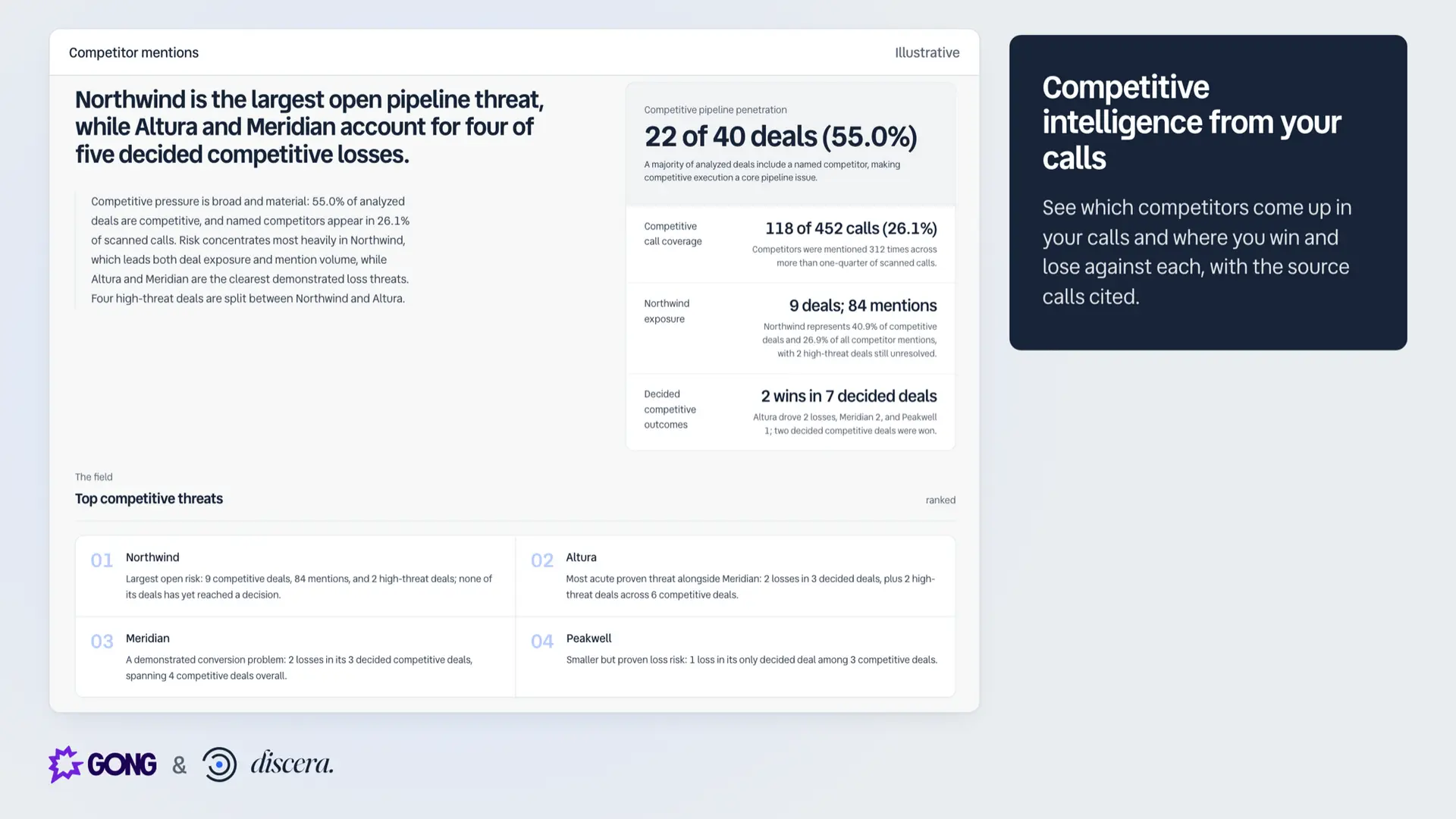
Competitive intel from real conversations
Your buyers say which competitor is in the deal, what price they quoted and which claims landed. Discera finds that across your calls, with the source calls cited.

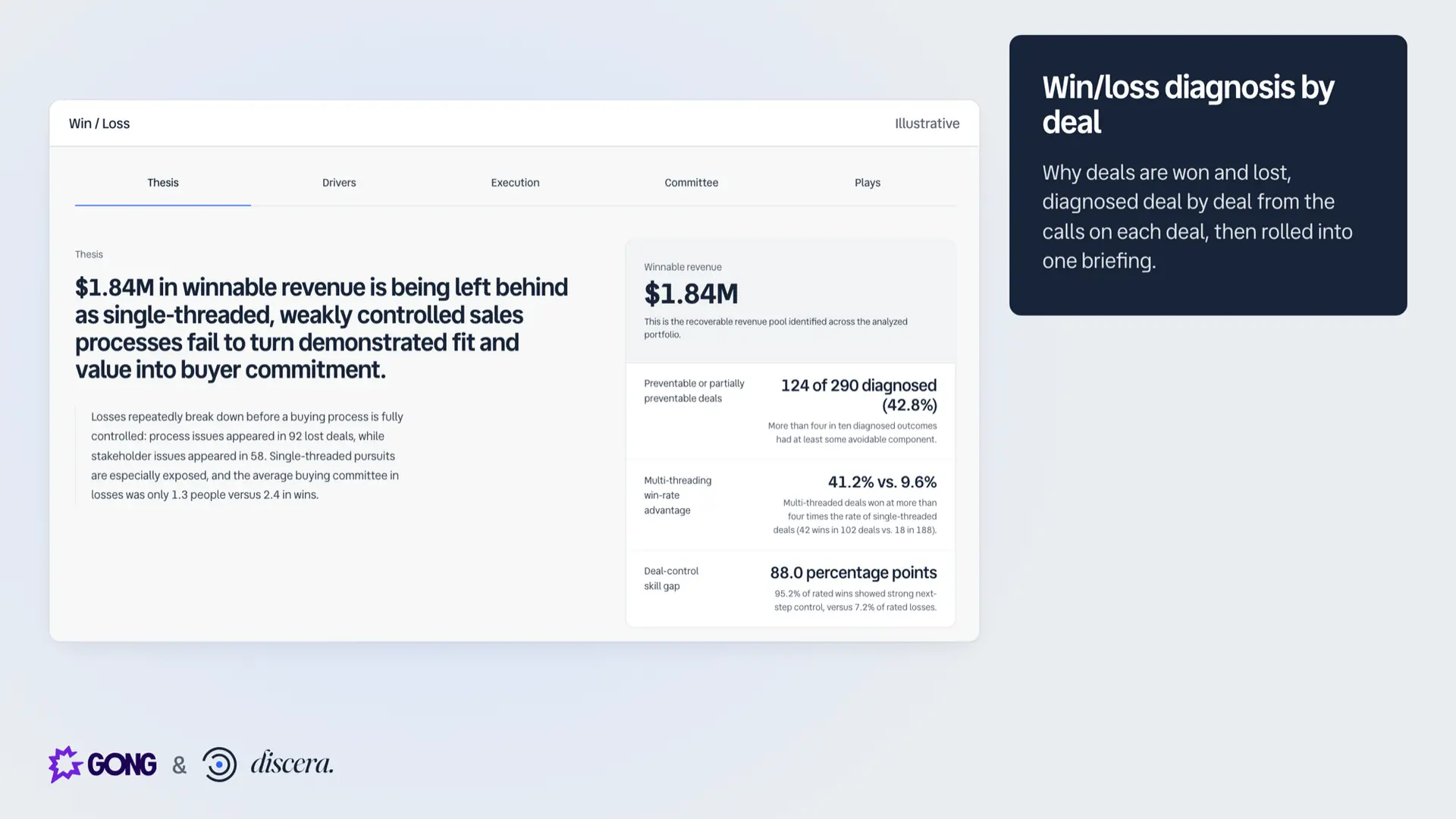
Know which losses were preventable
The win/loss briefing sizes the problem: deals analyzed, revenue lost, and the share of losses that were preventable.

Analysis that knows your company
Every analysis reads from your company profile, so findings are judged against what you actually sell.
FAQ
No. Discera is read-only: it requests four read scopes (call basics, extensive call data, transcripts, and users) and never writes to or modifies your Gong data.
Discera connects at the Gong account level. Private calls are never imported. Members of your Discera workspace can read reports built from all other calls, and a workspace admin controls who is a member.
Call metadata, participants and transcripts. Audio and video stay in Gong.
A Discera workspace admin starts the connection from Discera's Settings page, and a Gong technical administrator approves the consent screen. Setup takes about two minutes.
No. Calls marked private in Gong are filtered out at ingestion, so they never enter analysis, storage, or reports.
Not for questions across your calls. Win/loss by deal needs your deals in HubSpot, either synced with Gong or connected to Discera directly. Salesforce is not supported.
Disconnecting in Settings deletes Discera's stored Gong credentials, so access stops immediately.
OAuth credentials are encrypted at rest, all Gong API traffic comes from two static trusted IPs, and every report is scoped to your workspace. No data is shared across customers. Only invited members of your Discera workspace can access it.
Integration Diagrams
Data
Calls
Calls
Call transcripts
Call transcripts
CRM context
CRM context
Users
Users

Data
Quotes
Quotes
Call Analyses
Call Analyses
Deal context
Deal context
Sales Reps
Sales Reps
Requirements
Authenticating User Requirements
To authenticate this integration for the first time, a user must be a Gong Tech Admin and have workspace admin permissions in Discera Inc.
Subscriptions Required
Must have Discera subscription or free trial
Must have Gong (any) subscription
Requires a separate subscription from Discera Inc.
Must have Gong (any) subscription
Requires a separate subscription from Discera Inc.
Connect
Connecting takes about two minutes and requires a Gong technical administrator:
- Create a Discera workspace at https://app.discera.ai (14-day trial).
- In Discera, open Settings, find Gong under Connections and click Connect Gong.
- Approve the four read-only scopes on Gong's consent screen as a Gong technical administrator.
- Run your first analysis from the onboarding wizard or the New Analysis page.
Discera requests read-only access: call metadata, call transcripts, Gong-embedded CRM context, and user names. It never writes to your Gong data, and disconnecting in Settings deletes Discera's stored Gong credentials, so access stops immediately.
Setup guide: https://discera.ai/help/integrations/gong/install