








Know more
Etleap streamlines data ingestion, transformation, and observability so your team can create data products effortlessly.
About
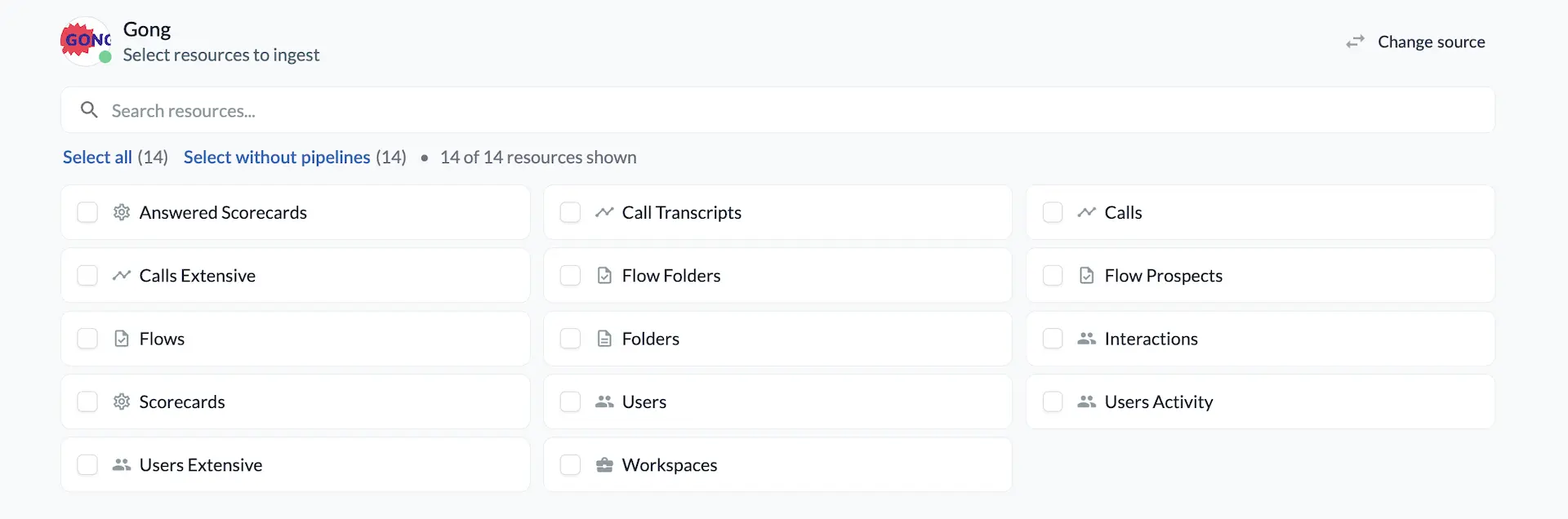
Etleap is a fully managed ETL and ELT platform that moves data from your business applications into your cloud data warehouse or lake. Etleap connects to Gong and continuously extracts your calls, users, activity statistics, scorecards, library, and flows data. It loads that data into destinations such as Amazon Redshift, Snowflake, BigQuery, and Amazon S3, keeping it fresh and analysis-ready with no engineering effort.
Media
Features
Extract Gong Data with Etleap
1. Automated Gong data extraction: Continuously pulls calls, transcripts, users, activity stats, scorecards, library, and flows.
2. Load to your warehouse or lake: Delivers Gong data to Redshift, Snowflake, BigQuery, and more.
3. Incremental updates: Keeps call data current with scheduled incremental syncs.
4. No-code setup and transformations: Connect with OAuth and model data without writing pipeline code.
2. Load to your warehouse or lake: Delivers Gong data to Redshift, Snowflake, BigQuery, and more.
3. Incremental updates: Keeps call data current with scheduled incremental syncs.
4. No-code setup and transformations: Connect with OAuth and model data without writing pipeline code.
Benefits
Unify data
Analyze Gong data alongside the rest of your business. Join call and activity data with CRM, product, and marketing data in one place.
Save engineering time
Fully managed pipelines remove the need to build and maintain custom Gong integrations.
Integration Diagrams
Data
Calls
Calls
Call Transcripts
Call Transcripts
Users
Users
Users activity
Users activity
Interactions
Interactions
Scorecards
Scorecards
Answered Scorecards
Answered Scorecards
Flows
Flows

Data
Calls table
Calls table
Call Transcripts table
Call Transcripts table
Users tabe
Users tabe
User Activity Stats table
User Activity Stats table
Interactions table
Interactions table
Scorecards table
Scorecards table
Answered Scorecards table
Answered Scorecards table
Flows table
Flows table
Requirements
Authenticating User Requirements
A Gong account with API access: Admin authorizes the Etleap connection over OAuth and approves the requested read scopes.
Creating a pipeline
A Gong connection and a warehouse destination connection: A configured data warehouse or lake (Redshift, Snowflake, BigQuery, or other) to receive the Gong data.
Connect
To connect Gong to Etleap, create a Gong source in Etleap and authorize it with OAuth. You sign in to Gong, approve the requested read scopes, and Etleap is connected. Select the Gong entities you want, choose your destination, and Etleap handles extraction, scheduling, and loading. The connection is read-only. Etleap never writes back to Gong.