








Fullcast
With Fullcast, you can plan, execute, and track your go-to-market strategy, from territories and quotas to capacity planning and routing.
About
Fullcast is the AI-powered go-to-market platform that unifies planning and revenue intelligence. Territory and capacity planning, routing, and AI agents that continuously analyze your pipeline. Connecting Gong brings your customer conversations into that picture. Fullcast securely imports your calls and transcripts and combines them with CRM data, email, and meetings to give revenue teams a complete, always-current view of every deal.
With Gong connected, Fullcast's AI agents use what was actually said on calls to score deal health, track milestone progress, surface risks and next steps, and keep forecasts grounded in real buyer conversations, not just CRM fields. Access is read-only; Fullcast never modifies anything in your Gong workspace.
With Gong connected, Fullcast's AI agents use what was actually said on calls to score deal health, track milestone progress, surface risks and next steps, and keep forecasts grounded in real buyer conversations, not just CRM fields. Access is read-only; Fullcast never modifies anything in your Gong workspace.
Media
Features
Use Gong Data in Fullcast
Fullcast automatically imports your Gong calls and transcripts through a secure, read-only connection — historical calls are backfilled when you connect, and new calls sync continuously with no exports or manual work.
Fullcast's AI agents analyze those conversations alongside your CRM, email, and meeting data to:
Fullcast's AI agents analyze those conversations alongside your CRM, email, and meeting data to:
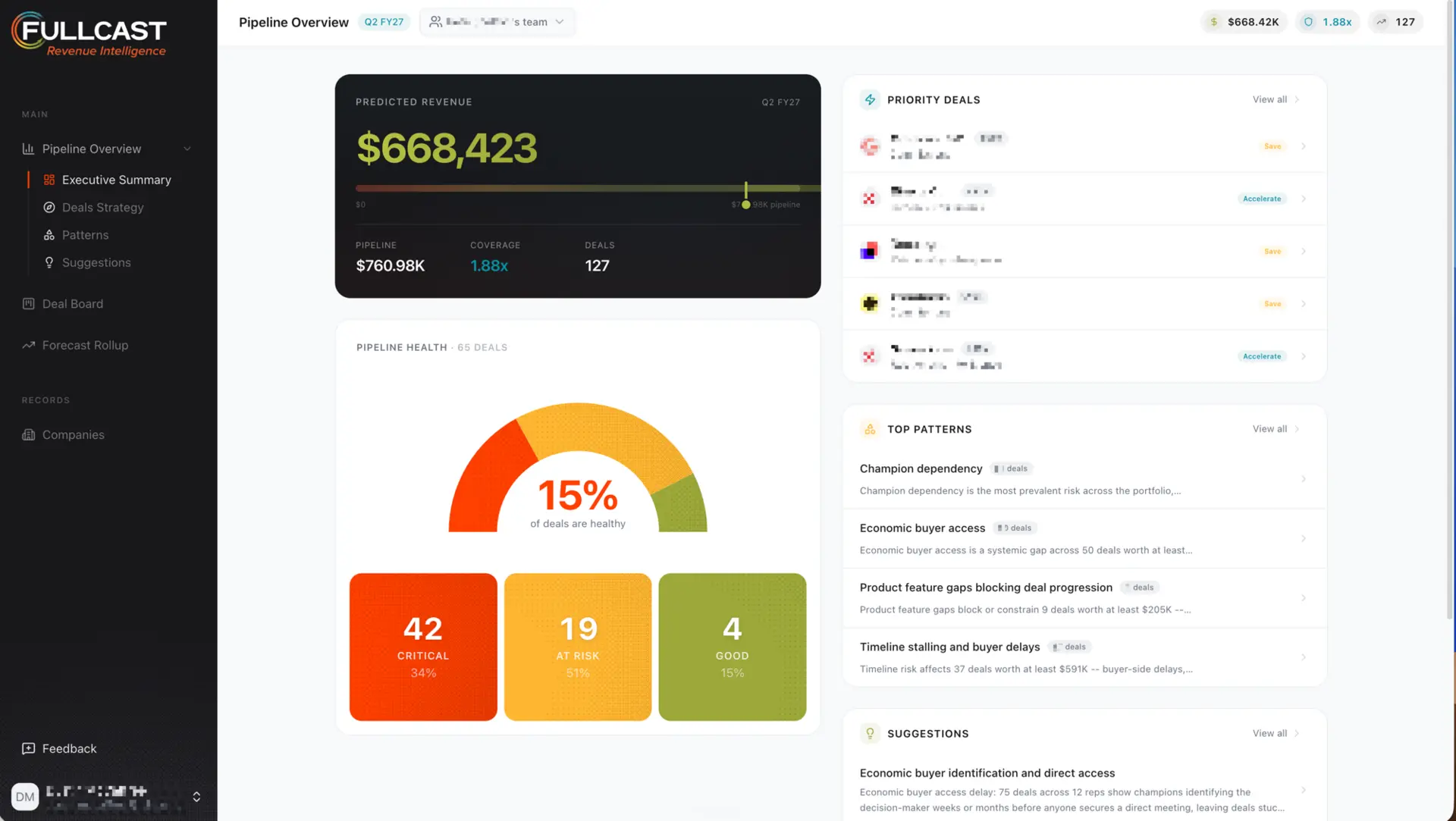
- Score the health of every deal, surfaced directly on the deal board
- Track progress against sales milestones using evidence from real conversations
- Flag risks, unaddressed objections, and missing next steps
- Keep forecasts grounded in what buyers actually said, not just CRM fields
Benefits
Catch deal risk before it costs you the quarter
Deal health scored from real buyer conversations means stalled deals, unaddressed objections, and missing next steps surface while there is still time to act, not after the deal slips.
Forecast with evidence
Pipeline reviews and forecast calls run on what buyers actually said, not just CRM stage and close date. Managers spend less time interrogating reps and more time coaching.
Zero busywork for your team
One admin authorization connects your whole Gong workspace. Calls and transcripts sync automatically, so reps never export, upload, or log anything to keep Fullcast current.
FAQ
Fullcast imports your Gong calls and transcripts and analyzes them alongside your CRM, email, and meeting data. Fullcast's AI agents use your real customer conversations to score deal health, track milestone progress, surface risks and next steps, and keep forecasts grounded in what buyers actually said.
You need a Fullcast account with admin access and a Gong user with technical administrator privileges. The Gong admin authorizes the connection once and it covers your entire Gong workspace.
Fullcast reads calls and call transcripts, including call metadata such as participants, dates, and duration. Access is read-only.
No. The integration is read-only. Fullcast never creates, modifies, or deletes anything in your Gong workspace.
Your existing call history is imported automatically when you connect. After that, new calls sync continuously as they are processed in Gong, with no exports or manual work required.
No. A single authorization by a Gong admin covers the whole workspace. Individual reps do not need to install or configure anything.
As an admin, in Fullcast, go to the Integrations page and click Disconnect on the Gong card. Syncing stops immediately. You can also revoke access from the Gong side at any time.
Integration Diagrams
Fullcast pulls calls, transcripts, and participant data from Gong through a secure, read-only API connection. Fullcast's AI agents analyze these conversations alongside CRM and email data to power deal health, milestone tracking, and forecasting. No data is written back to Gong.
Data
Calls
Calls
Call Transcripts
Call Transcripts
Call Participants
Call Participants

Data
Deal Activities
Deal Activities
Conversation Insights
Conversation Insights
Deal Contacts
Deal Contacts
Requirements
Subscriptions Required
An active Fullcast subscription and an active Gong subscription with API access.
Authenticating User Requirements
The connection is authorized from Fullcast by a user with Fullcast admin access. The Gong authorization must be completed by a Gong user with technical administrator privileges. A single authorization covers the entire Gong workspace.
Connect
Connecting Gong to Fullcast takes about a minute and only needs to be done once per Gong workspace.
Before you start, you'll need:
- A Fullcast account with admin access
- A Gong user with technical administrator privileges (required to authorize API access)
Steps:
1. In Fullcast, go to Admin → Organization Settings → Integrations.
2. On the Gong card, click Connect.
3. You'll be redirected to Gong's authorization page. Sign in with your Gong admin account if prompted.
4. Review the requested permissions and click Allow. Fullcast requests read-only access to calls and transcripts.
5. You'll be returned to Fullcast and the Gong card will show as connected.
That's it! Fullcast begins importing your call history automatically, and new calls sync continuously as they're processed in Gong. To disconnect at any time, return to the Integrations page and click Disconnect on the Gong card; Fullcast stops syncing immediately.
Before you start, you'll need:
- A Fullcast account with admin access
- A Gong user with technical administrator privileges (required to authorize API access)
Steps:
1. In Fullcast, go to Admin → Organization Settings → Integrations.
2. On the Gong card, click Connect.
3. You'll be redirected to Gong's authorization page. Sign in with your Gong admin account if prompted.
4. Review the requested permissions and click Allow. Fullcast requests read-only access to calls and transcripts.
5. You'll be returned to Fullcast and the Gong card will show as connected.
That's it! Fullcast begins importing your call history automatically, and new calls sync continuously as they're processed in Gong. To disconnect at any time, return to the Integrations page and click Disconnect on the Gong card; Fullcast stops syncing immediately.