




Mindtickle Behavior Intelligence
Turn conversations into actionable coaching, practice, and guidance for every seller. Mindtickle reads your Gong calls to personalize winning behaviors for each rep.
About
Turn every Gong conversation into behaviors your team can build on.
Gong shows what is happening in your deals. Mindtickle shows whether your reps are showing the behaviors that win them, and what to do next to improve. Connect the two without changing how your team records calls.
With this integration, Mindtickle reads your Gong calls, transcripts and recordings and processes them in the background. Mindtickle then uses them to:
- Diagnose skill gaps and prescribe next steps. Behavior Intelligence reads signals across readiness and real conversations to show where each rep and team stands, and what coaching or training will help.
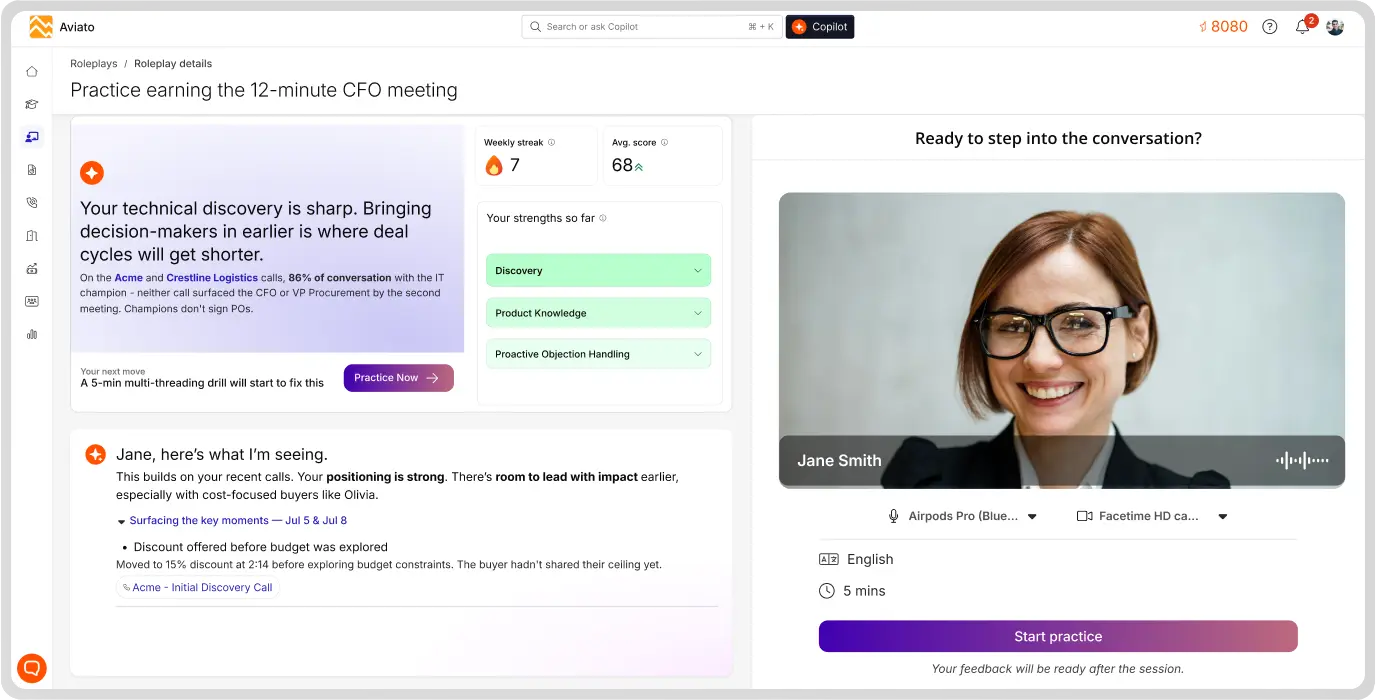
- Generate personalized AI Role Plays. Reps practice the conversations they are about to have, tailored to their deal, stakeholders, competitors and skill gaps.
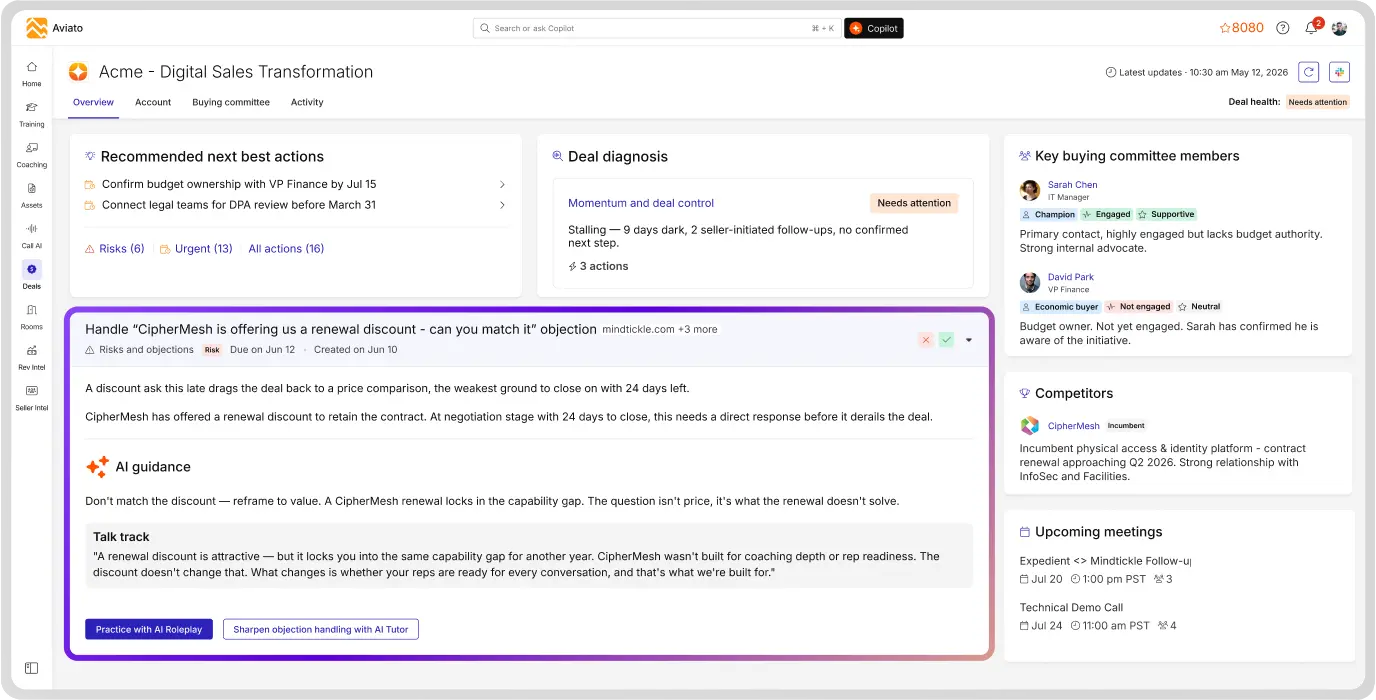
- Power Deal Guides & Seller Copilot. Deal context from your calls feeds next-best-action guidance in the flow of work.
The integration is read-only. Mindtickle never creates, modifies or deletes data in Gong. Gong remains your system of record for conversations.
Media
Features

Use Gong Data in Mindtickle Behavior Intelligence
With this integration, Mindtickle reads your Gong calls, transcripts and recordings and processes them in the background. Mindtickle then uses them to:
- Diagnose skill gaps and prescribe next steps. Behavior Intelligence reads signals across readiness and real conversations to show where each rep and team stands, and what coaching or training will help.
- Generate personalized AI Role Plays. Reps practice the conversations they are about to have, tailored to their deal, stakeholders, competitors and skill gaps.
- Power Deal Guides & Seller Copilot. Deal context from your calls feeds next-best-action guidance in the flow of work.
Benefits
Personalized AI Role Plays
Help reps prepare for upcoming sales conversations with personalized AI Role Plays tailored to their deals, stakeholders, competitive landscape, and individual skill gaps.
Deal Guides
Call context from Gong powers deal-specific recommendations, next-best actions, so sellers know what to do next without switching tools.
Seller Copilot
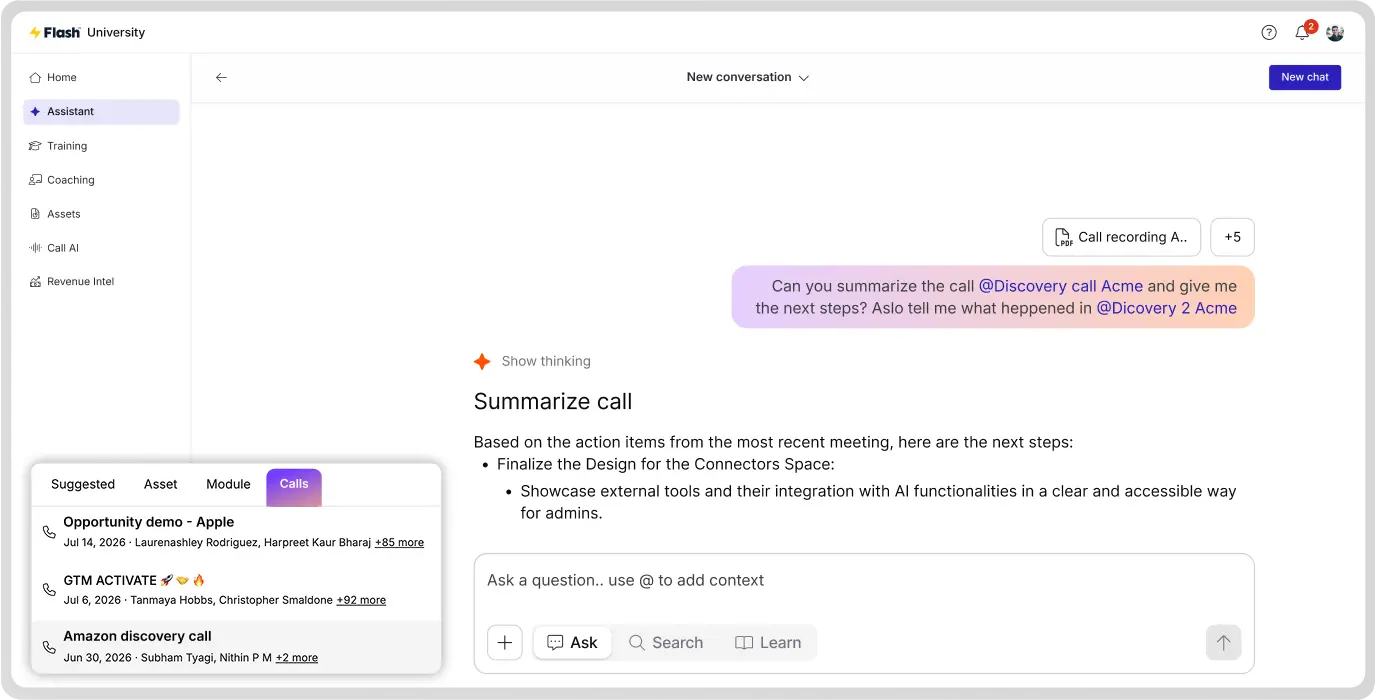
Reps can ask Seller Copilot anything, from product and process questions to call prep and follow-up emails, with answers drawn from training content and now Gong calls too.
FAQ
No. The integration is read-only. Mindtickle never creates, modifies or deletes data in Gong.
Access is limited to the read-only permissions you approve. See the Mindtickle Trust Center for our security and compliance details.
Yes. Only users with the necessary assigned role get their calls imported.
A Gong admin can revoke Mindtickle's access in Gong at any time, which stops all future imports.
A Gong Tech Admin, working with a Mindtickle Site Admin.
Integration Diagrams
Data
Gong Calls
Gong Calls

Data
Behavior Intelligence
Behavior Intelligence
Requirements
Subscriptions Required
Must have an active Mindtickle subscription.
Must have an active Gong subscription
Must have an active Gong subscription
Authenticating User Requirements
To authenticate this integration for the first time, a user must be a Gong Tech Admin and have Admin role on Mindtickle.
Connect
1. On your Mindtickle instance, login in as Admin, look for Gong integration, click on Connect.
2. You are redirected to Gong. Sign in with your Gong Tech Admin credentials.
3. Review the permissions Mindtickle requests and select Allow. Access is shared, so it covers calls across your workspace.
4. You return to Mindtickle, where the connection shows as active. Mindtickle starts importing new calls on a regular schedule.
5. In Mindtickle User Management, assign the role to the users whose Gong calls should be processed.
2. You are redirected to Gong. Sign in with your Gong Tech Admin credentials.
3. Review the permissions Mindtickle requests and select Allow. Access is shared, so it covers calls across your workspace.
4. You return to Mindtickle, where the connection shows as active. Mindtickle starts importing new calls on a regular schedule.
5. In Mindtickle User Management, assign the role to the users whose Gong calls should be processed.