








PandaDoc
Build, send, and track proposals and contracts without leaving Gong.
About
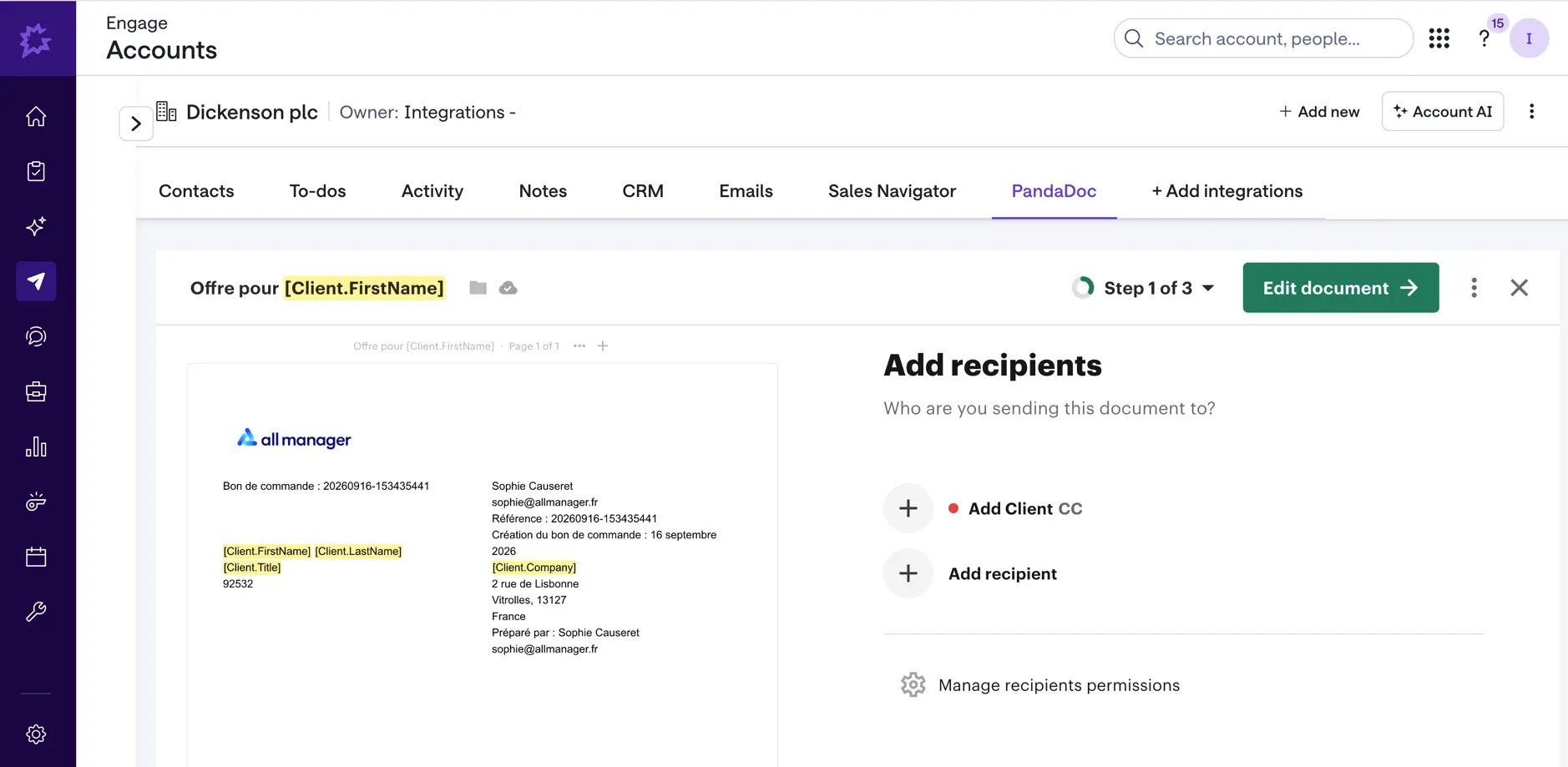
PandaDoc lets reps build, send, and track documents directly inside Gong. Launch the PandaDoc workflow from an embedded panel to create a proposal, contract, or quote without switching tools. Then, check the status of every document ever created for that account — draft, sent, viewed, signed — right alongside the conversation intelligence that's driving the deal.
Media
Features
Show PandaDoc in Gong Engage
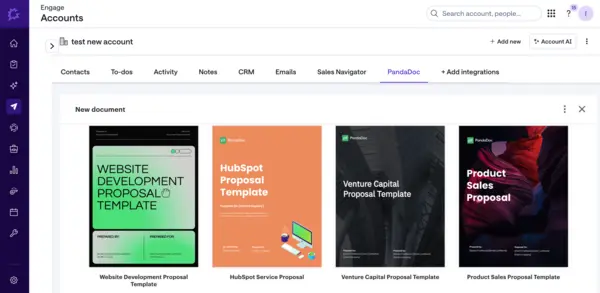
- Open the PandaDoc panel directly from any Gong Engage account
- Launch the full document workflow — pick a template, populate it, and send for signature
- Never leave the account or opportunity view to get a document out the door
Track document status from Gong
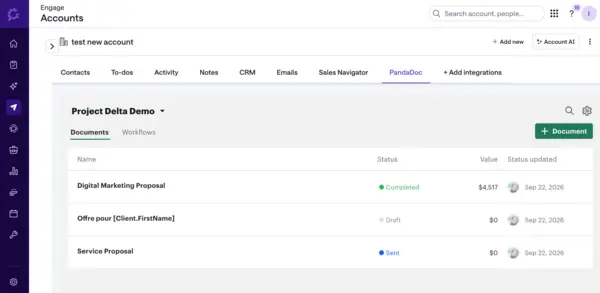
- See every PandaDoc document tied to an account in one list
- Check status at a glance — Draft, Sent, Viewed, Completed
- View value, owner, and last activity without opening PandaDoc separately
Benefits

Send proposals the moment a call ends
Close the gap between conversation and paperwork — launch PandaDoc from the same screen right after the call, while the deal's still hot.

Give managers real-time paperwork visibility
See where every deal's documents stand — draft, sent, viewed, completed — without asking reps for a status update.
Cut tool-switching for reps
Fewer tools, faster work. Reps who live in Gong all day can create, send, and track documents without ever leaving the account view.
FAQ
Yes — you'll need an existing PandaDoc account (or start a trial) to log into the embedded panel.
No — this integration is scoped to Gong only. Document creation and status live inside the Gong account view; it doesn't push data to or pull data from your CRM.
No — the entire workflow (choosing a template, filling fields, sending) runs inside the embedded panel on the Gong account page.
Yes — when a document's status changes in PandaDoc (sent, viewed, completed), it updates automatically in the Gong account view.
Everyone with access to the Gong account sees all documents tied to it. The author is displayed next to each document name, so it's clear who created it.
Integration Diagrams
PandaDoc runs as an embedded panel tied to the Gong account you're viewing. Launch a new document workflow from there, or pull up the account's existing documents — status, value, and last activity stay in sync with what's shown in Gong
Data
Account
Account

Data
Document
Document
Requirements
Authenticating User Requirements
To authenticate this integration for the first time, a user must be a Gong Tech Admin and have account in PandaDoc
Subscriptions Required
Must have any PandaDoc subscription
Must have Gong Engage subscription
Must have Gong Engage subscription
Connect
Connect your PandaDoc account to be able to create, edit and send documents