









Parse Labs
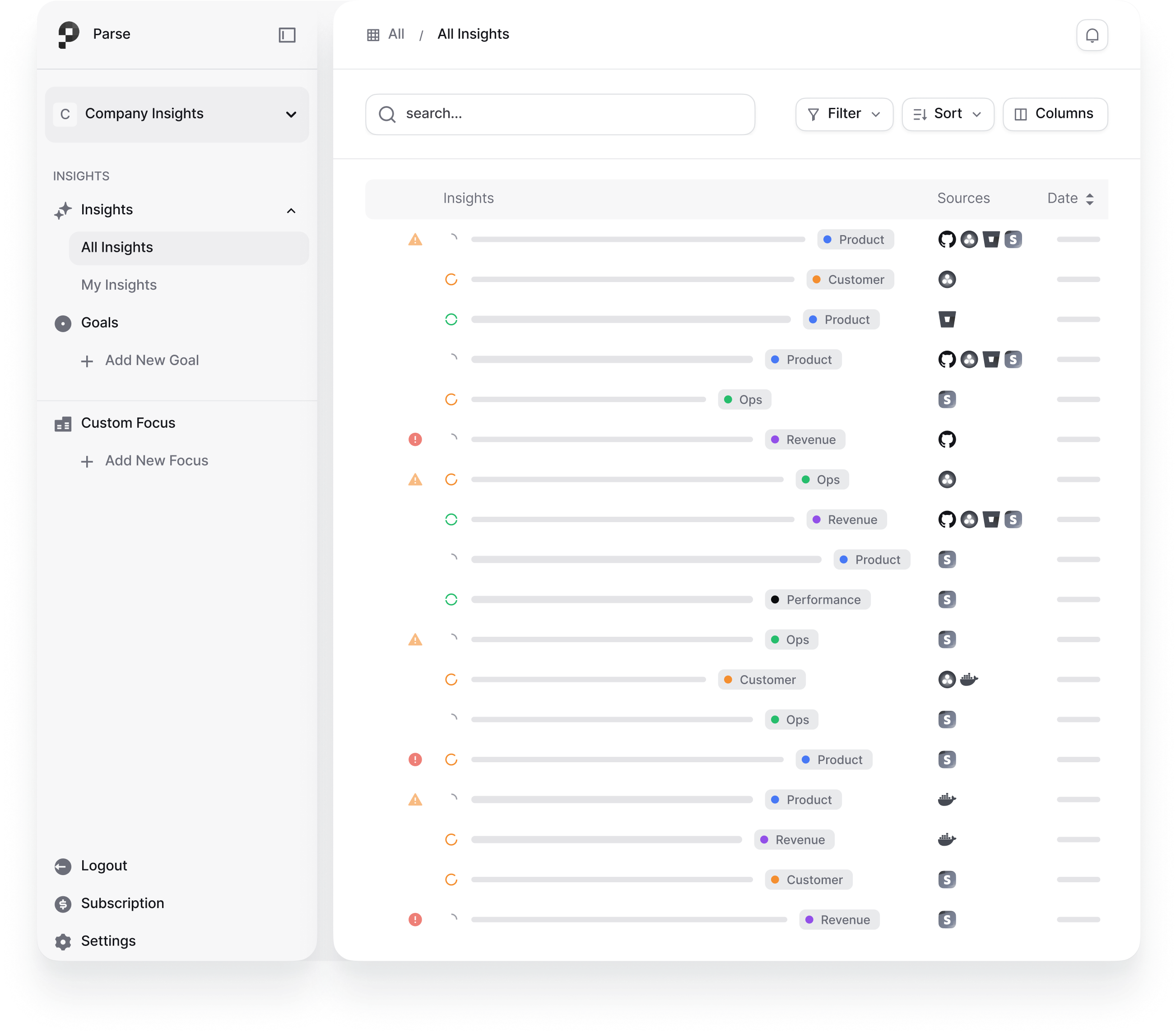
Parse deploys autonomous agents that audit Gong, Stripe, HubSpot, Jira, GitHub, or PostHog and surface the risks your team missed.
About
Parse Labs is an AI-powered analytics platform that transforms how revenue teams understand their customer conversations. By integrating seamlessly with Gong, Parse processes call metadata and transcripts in real-time to deliver conversation intelligence that drives measurable business outcomes. Unlike traditional analytics tools that require manual review or show only raw data, Parse automatically surfaces hidden patterns in your customer interactions—revealing root causes of deal delays, uncovering bottlenecks in your sales process, and identifying trends that dashboards miss.
With Parse and Gong together, your revenue team gains access to bulk conversation analytics that span all calls without exposing individual transcripts. Parse's AI engine processes your Gong data at scale to generate comprehensive call summaries, trend analysis, and sentiment insights—all designed for team-level intelligence rather than individual audit. Proactive root cause detection surfaces issues up to three weeks before traditional dashboards show problems, giving your team the competitive advantage to act first.
The integration is secure, admin-managed, and requires zero per-user authentication. Your Gong admin authorizes the connection once via OAuth, and Parse immediately begins ingesting and processing your conversation data. Perfect for sales operations leaders, revenue leaders, and teams of any size looking to make data-driven decisions faster.
Media
Features
Use Gong Data in Parse Labs
Parse ingests call metadata and transcripts from your Gong account to deliver conversation intelligence at scale. Understand trends across your team’s calls without manually reviewing individual recordings.

Bulk Call Processing & Trend Analysis
Rather than surfacing individual transcripts, Parse processes your Gong calls in aggregate to identify patterns, track talk-to-listen ratios, surface recurring topics, and highlight shifts in customer sentiment over time.
AI-Generated Call Summary
Parse can generate concise summaries of Gong calls, giving your team quick access to key takeaways, action items, and discussion points without reading full transcripts.
Benefits

Make Faster, Data-Driven Decisions
Stop relying on guesswork. Get real-time insights from your customer conversations to inform strategy, coaching, and team development.

Identify and Fix Problems Before They Escalate
Parse's AI surfaces risks and bottlenecks weeks in advance, giving your team time to intervene and prevent deal delays or losses.

Scale Your Team's Effectiveness Without Adding Headcount
Automation handles bulk analysis and trend detection, freeing your team to focus on high-impact coaching and strategy.
FAQ
Parse uses OAuth to securely connect at the admin level—your Gong administrator authorizes the connection once, and Parse can then ingest call metadata and transcripts from your instance. No per-user authentication is required.
No. Parse processes all Gong data in bulk and only displays aggregated analytics. Users may see AI-generated call summaries and insights derived from transcript analysis, but raw transcripts are never shown. Everything is processed in aggregate for team-level intelligence.
Parse authenticates at the admin level only. The admin who authorizes the integration determines which Gong data Parse can access. Parse only displays aggregated analytics and trends—not individual user data or raw transcripts—so individual user permissions are not replicated at the per-user level.
Integration Diagrams
Gong (call metadata and transcripts) is extracted via API, processed through Parse's AI engine for bulk analysis and pattern detection, and transformed into actionable insights including analytics dashboards, trend reports, and AI-generated summaries.
Data

Data
Analytics Dashboards
Analytics Dashboards
Requirements
Subscriptions Required
Requires a separate subscription from both Parse Labs and Gong
Authenticating User Requirements
To authenticate this integration for the first time, a user must be a Gong Tech Admin and have an account in Parse Labs.
Connect
Getting started is simple—just three quick steps:
● Admin clicks "Connect" in Parse Labs workspace settings.
● You'll be directed to Gong's OAuth authorization screen. Review the permissions and confirm.
● Once authorized, the connection is live. Parse automatically begins ingesting Gong call metadata and transcripts.
● Configure your Parse workspace to start receiving Gong data—select which team data to analyze and set your preferences.