








Pearl
Pearl is a sales intelligence platform that gives revenue teams a unified view of their customer interactions.
About
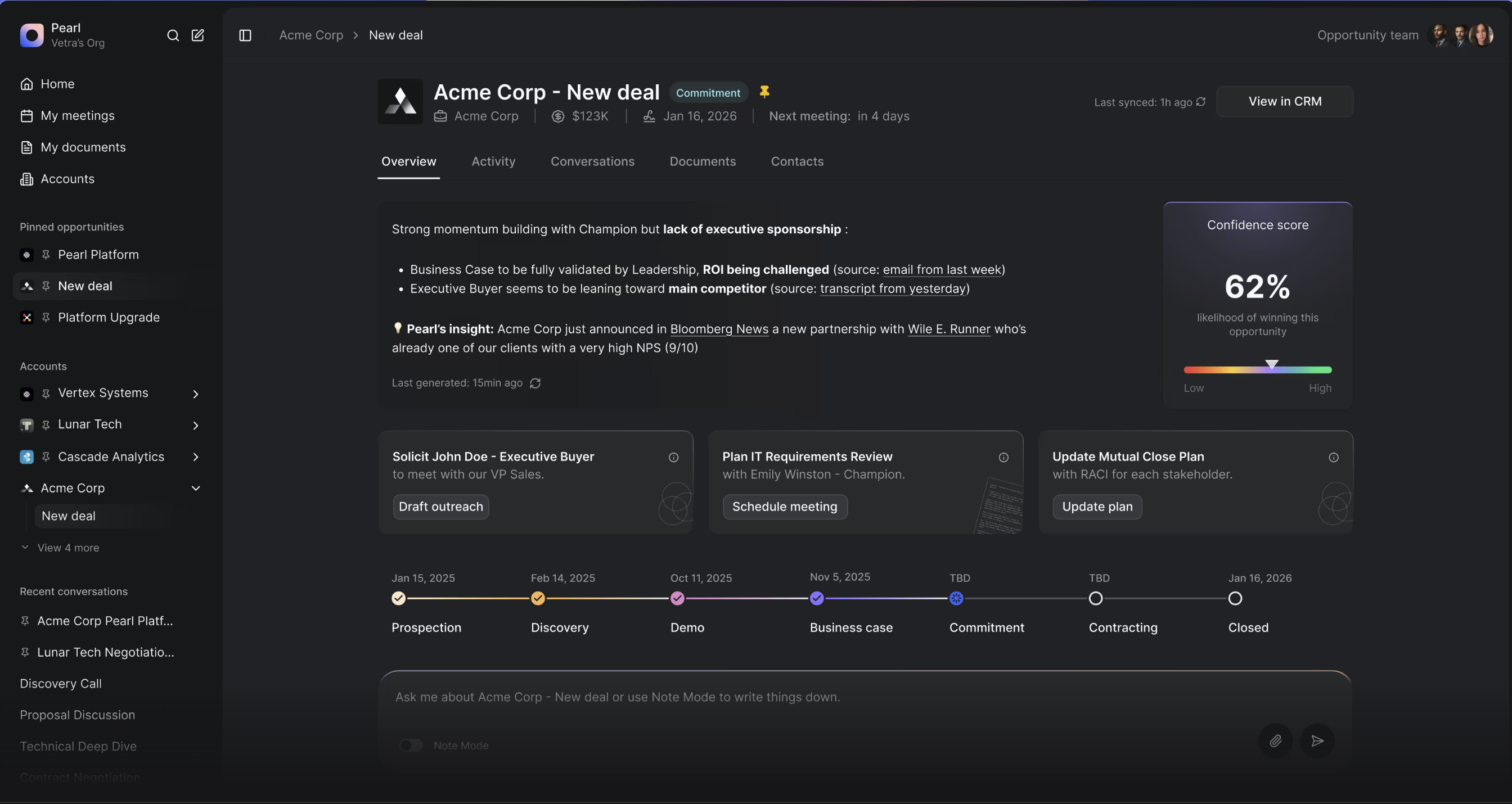
Pearl is the AI-powered Revenue Operating System where revenue teams and AI think together.
Pearl connects your Gong conversation intelligence with your CRM data to deliver actionable insights, meeting briefs, and recommendations — all in one place. By combining call recordings, deal context, and team activity, Pearl transforms scattered information into focused actions through collaborative intelligence. Reps get AI-generated meeting prep, automated activity logging, and real-time CRM sync — so they spend less time switching tools and more time closing deals.
Pearl connects your Gong conversation intelligence with your CRM data to deliver actionable insights, meeting briefs, and recommendations — all in one place. By combining call recordings, deal context, and team activity, Pearl transforms scattered information into focused actions through collaborative intelligence. Reps get AI-generated meeting prep, automated activity logging, and real-time CRM sync — so they spend less time switching tools and more time closing deals.
Media
Features
Retrieve call transcripts
Use Gong transcripts within Pearl to get more insights on how a call went and what are the next steps
Benefits

Unified revenue intelligence
Bring together Gong conversations, CRM data, and team activity into a single view, no more jumping between tabs to piece together the full picture on an account or deal.
AI-powered meeting preparation
Before every call, Pearl automatically generates a brief with context from past Gong recordings, CRM history, and recent activity so reps walk in prepared without the manual homework.
FAQ
Only a tech admin can connect or disconnect the Gong integration.
Pearl syncs call metadata, transcripts, topics, key points, and participant info. Access is read-only — Pearl never modifies your Gong data.
All public calls across your organization are synced. Calls marked as private in Gong are never synced to Pearl.
A technical admin connects the integration; Pearl syncs public calls and transcripts available through the Gong API and does not mirror Gong’s per-user access. Everyone in your Pearl organization can use that content in the enriched LLM context.
Integration Diagrams
Data
Transcript
Transcript

Data
Transcript
Transcript
Requirements
Authenticating User Requirements
To authenticate this integration for the first time, a user must be a Gong Tech Admin
Create Pearl Account
Contact Pearl and create an account
Connect
- Navigate to Pearl app
- Click Settings
- Connect to your Gong integration