









Profound
Profound helps brands win in generative search. Monitor and optimize your brand's visibility in real-time across ChatGPT, Perplexity, Gemini, and other Answer Engines. Drive measurable growth in a zero-click world.
About
Profound helps the world’s biggest brands, including 10% of the Fortune 500, win more business from ChatGPT, Gemini, and other LLMs.
With Profound, marketers can build Agents to execute various marketing actions. This can range from writing answer engine optimization (AEO) content to building new landing pages for demand generation campaigns.
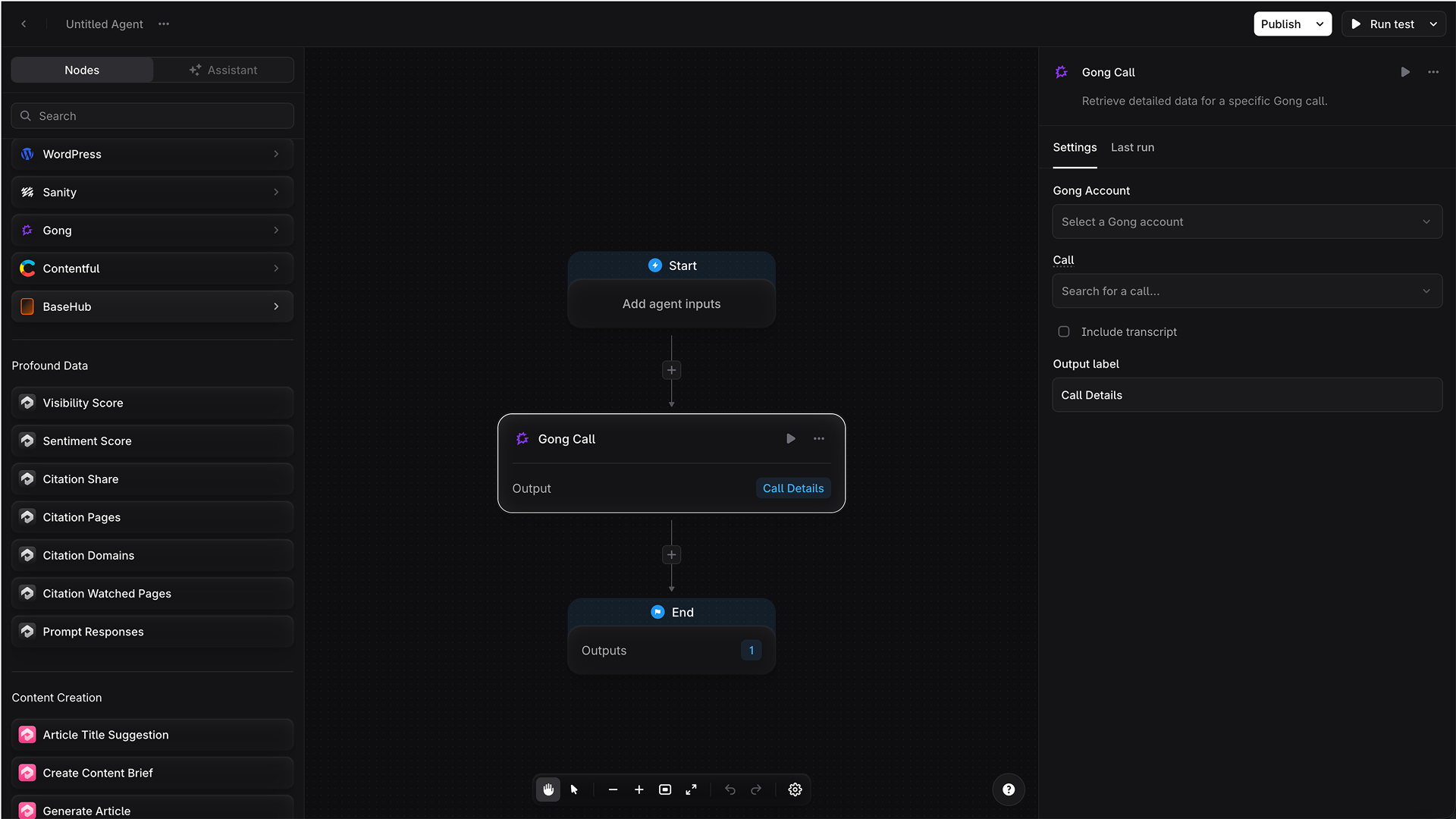
By connecting to Profound to Gong, Profound Agents are able to analyze and act on Gong data. For example, they can find the top pain points mentioned by prospects and draft AEO-optimized content positioning your brand as the solution. They can even scan Gong for your most enthusiastic customers and draft emails asking them for a testimonial. Profound Agents are highly customizable, and Gong data makes them even more powerful.
With Profound, marketers can build Agents to execute various marketing actions. This can range from writing answer engine optimization (AEO) content to building new landing pages for demand generation campaigns.
By connecting to Profound to Gong, Profound Agents are able to analyze and act on Gong data. For example, they can find the top pain points mentioned by prospects and draft AEO-optimized content positioning your brand as the solution. They can even scan Gong for your most enthusiastic customers and draft emails asking them for a testimonial. Profound Agents are highly customizable, and Gong data makes them even more powerful.
Media
Features
Use Gong Data in Profound
By giving Profound Agents access to Gong, you can build an autonomous fleet of agents that pull insights from Gong calls with customers and prospects, then perform targeted actions.
Benefits

Jumpstart social proof for new feature launches
Profound Agents can identify customers who've made positive mentions of the new feature in Gong calls, and draft an email asking them for a testimonial or review.

Generate competitive landing pages
Profound Agents can mine Gong calls for the top reasons prospects consider competitors, then build a targeted landing page to counter every objection.

Generate AEO-optimized content for high-intent audiences
Profound Agents can scan Gong calls for the top pain points being felt by prospects, and draft AEO-optimized content to show up more often in LLMs when consumers are searching for a solution to these pains.
FAQ
No, this integration is set it up through the Profound Integrations Hub. In Profound, go to your Profile, Settings, and Integrations to connect.
A technical administrator connects Gong to Profound once using organization-level Gong credentials. Gong does not provide user-level OAuth for this API access pattern, so individual users do not need to connect their own Gong accounts.
Once Gong is connected, Gong calls can be used in Profound Agents through the organization-level Gong connection. This lets users in your Profound organization reference relevant Gong call data when building or running Agents, without each user needing to connect a separate Gong account.
Note: Profound does not include calls marked as private in Gong. In technical terms, calls where Gong returns isPrivate: true are excluded.
Integration Diagrams
Pull Gong data into Profound to give your Agents more context.
Data
Gong Call Data
Gong Call Data

Data
Profound Agents
Profound Agents
Requirements
Subscriptions Required
Must have Profound account with access to Profound Agents. Must have a Gong subscription.
Authenticating User Requirements
To authenticate this integration for the first time, a user must be a Gong Tech Admin.
Connect
- In Profound, go to Settings > Integrations
- Click Connect next to Gong
- Sign in to your Gong account when prompted
- Approve the requested permissions
- You're redirected back to Profound, and your Gong data is now available in Profound Agents