








Relevance AI
Relevance AI is the home of the AI Workforce. Enabling anyone to build autonomous AI teams and put their processes on autopilot.
About
Relevance AI is an AI workforce platform that lets businesses build and deploy AI agents and multi-step tool workflows - no code required. Connect Gong to give your AI agents access to call data, transcripts, and interaction analytics so they can automate call analysis, summarise meetings, track scorecard performance, and surface coaching opportunities across your sales conversations. A Gong admin connects the integration for your workspace, and AI agents in your Relevance AI project access Gong data through that shared connection.
Media
Features
Retrieve Call Transcripts
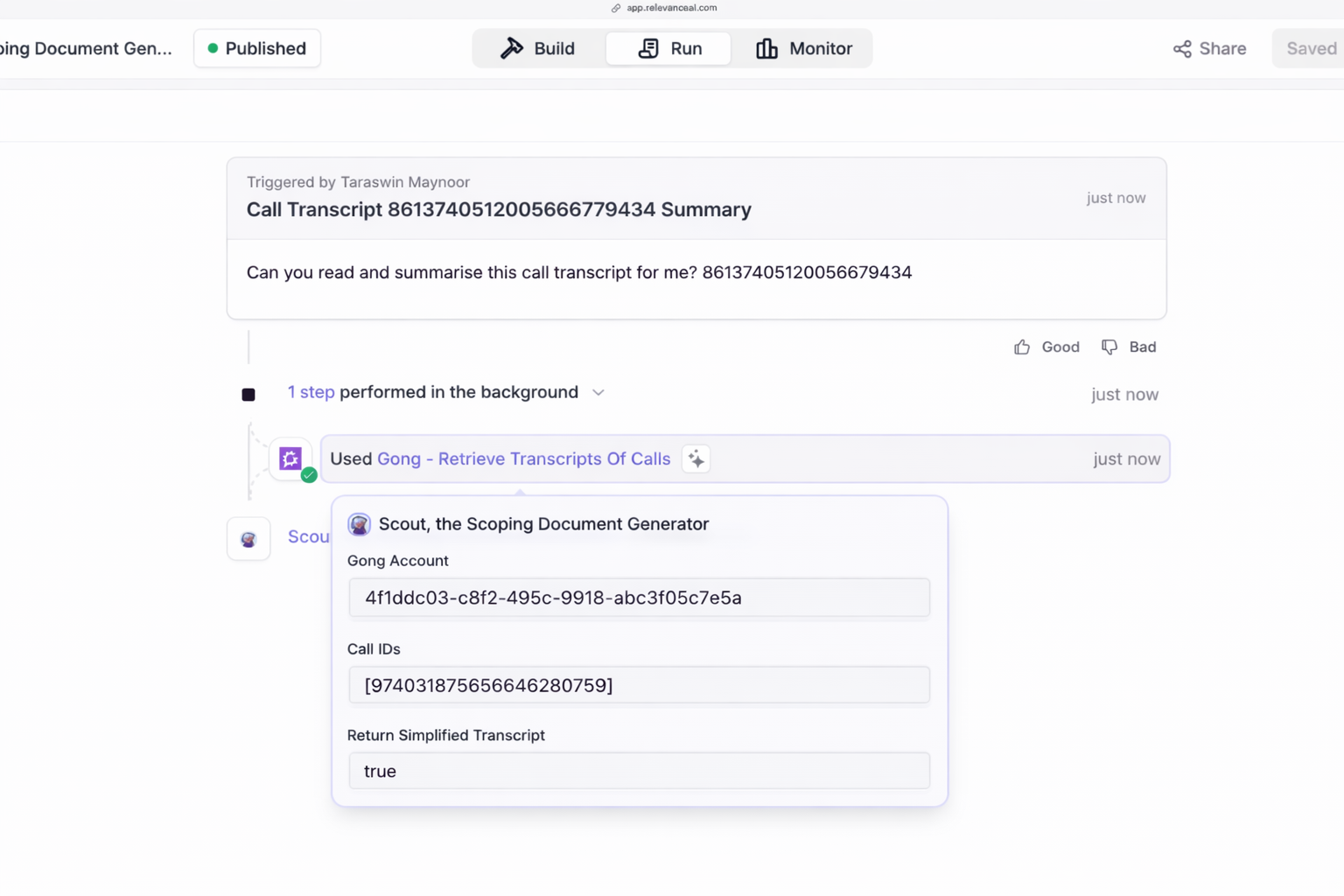
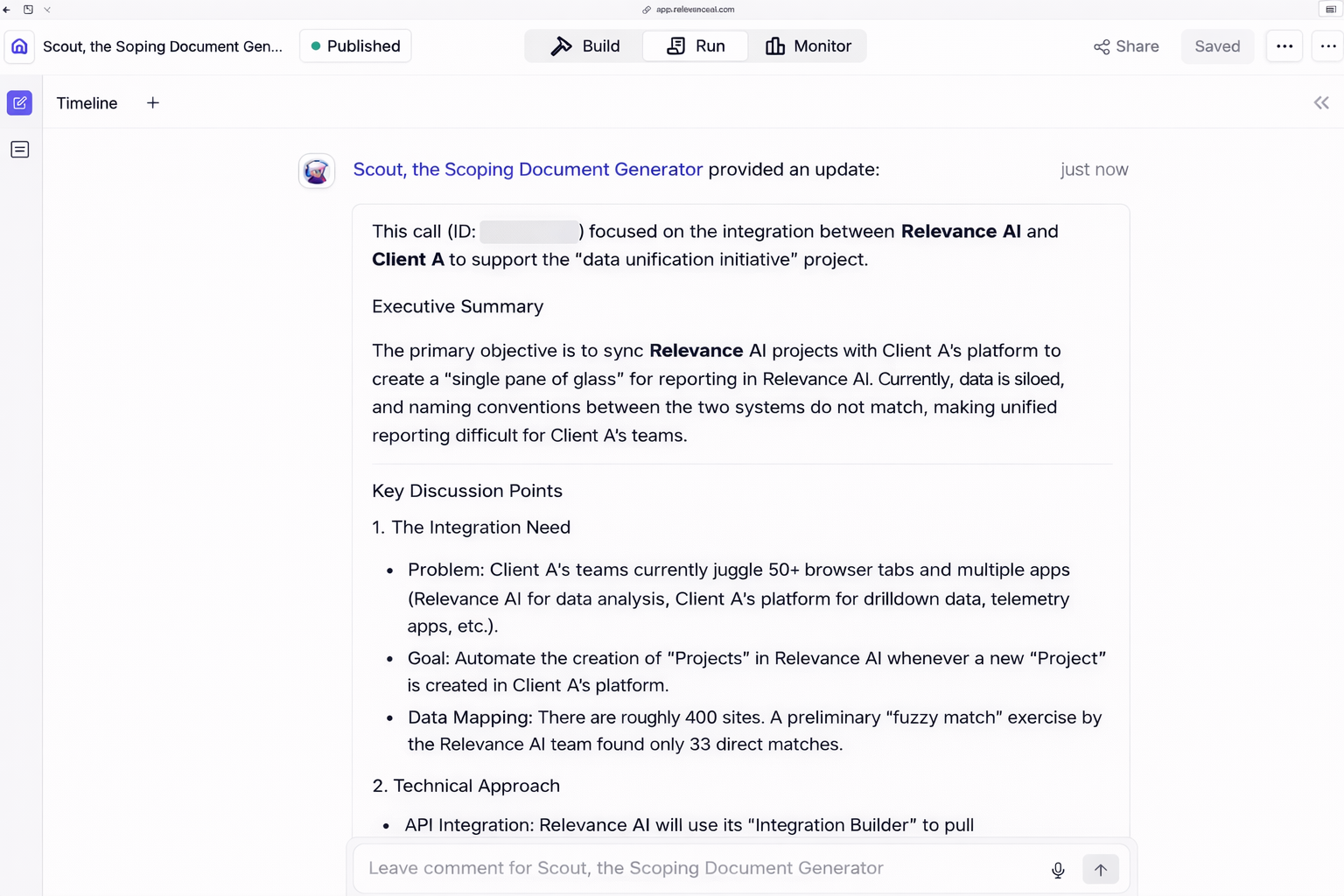
AI agents can pull full call transcripts with speaker identification and topic segmentation to summarise conversations and extract action items.
Search and Filter Calls
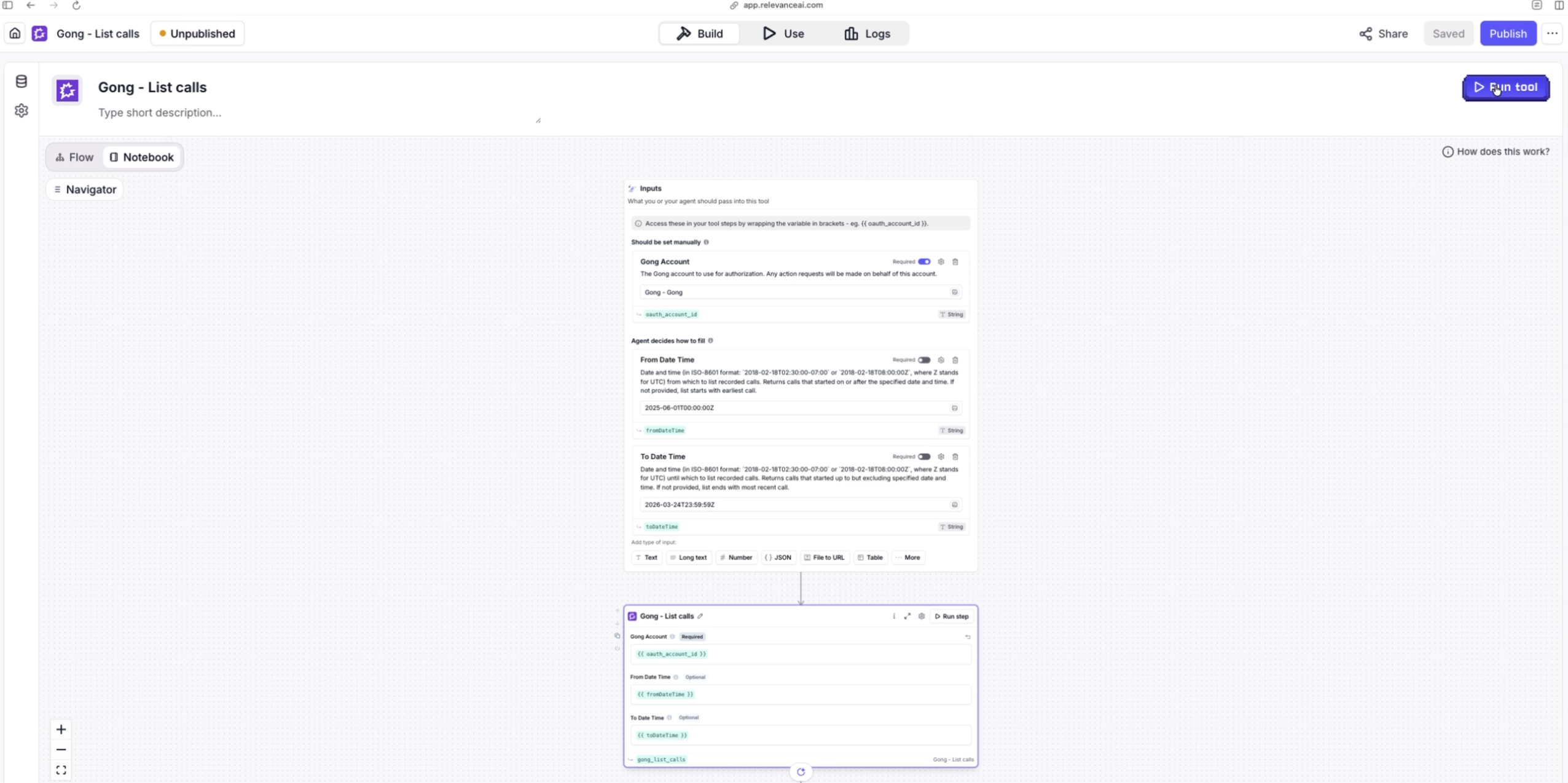
AI agents can search calls by date range, user, or call ID and retrieve detailed call metadata including duration, participants, and topics.
Surface Coaching Opportunities
AI agents analyse interaction stats (talk ratios, patience, question rate) to flag reps who would benefit from coaching, without a manager manually reviewing every call.
Track Scorecard Performance
AI agents can pull scorecard results across a team's calls to generate trend summaries and highlight coaching areas, so managers don't have to open each call individually.
Log External Interactions into Gong
AI agents can record conversations that happened outside Gong (e.g. in-person meetings, chat) so they're captured alongside Gong-recorded calls.
Configurable Gong Actions
For advanced workflows, builders can configure tool steps that call a specific Gong API endpoint of their choice. Each step is bounded by the permissions granted during OAuth authorisation and the scopes approved for this app, so agents can only reach data the connected admin has access to.
Benefits
Automate Sales Call Analysis
Deploy AI agents that automatically review and analyse your Gong calls. Instead of manually listening to recordings, let AI surface the insights that matter saving your team hours of review time each week.
Turn Conversations into Actionable Insights
AI agents read full call transcripts with speaker and topic context, then extract summaries, action items, and coaching opportunities. Surface what matters from every conversation without manual effort.
FAQ
When you connect Gong to Relevance AI, a single Gong Technical Administrator (or Administrator) in your organisation authorises the connection on behalf of your workspace. From that point on, any AI agent built in that Relevance AI project accesses Gong through that shared connection, which means every agent in the project sees the same Gong data that the admin who connected the account can see in Gong. Individual users in Relevance AI do not log in to Gong separately, they interact with Gong through the agents built in their project.
A user with the Technical Administrator or Administrator role in Gong. This role is required to authorise the connection. Because this user's Gong permissions define what calls, transcripts, and stats your AI agents will have access to, we recommend connecting with an account whose Gong access matches the data you want to make available to your team's agents.
Not at this time. All agents inside a Relevance AI project share the same Gong connection and therefore have the same view of Gong data, determined by the permissions of the admin who connected the account. We plan to support per-user access once user-level authentication is available on Gong's API.
Inside Relevance AI, project admins decide which agents and tool workflows have access to the Gong tools. An agent can only use Gong tools that have been explicitly added to it. You can remove Gong tools from individual agents at any time, disconnect Gong from the Integrations page in Relevance AI, or revoke the connection directly from inside Gong.
AI agents can search and filter calls, retrieve full call transcripts (with speaker identification and topic segmentation), and for advanced workflows - call any Gong v2 API endpoint that falls within the permissions granted during connection. Data access is always bounded by what the connecting admin's Gong account is allowed to see.
Integration Diagrams
Data
Interaction & Scorecard Stats
Interaction & Scorecard Stats
External Interaction Records
External Interaction Records
Gong Calls & Transcripts
Gong Calls & Transcripts

Data
AI Agents & Tool Workflows
AI Agents & Tool Workflows
Requirements
How Permissions Work
- A Gong admin connects the integration once on behalf of your workspace.
- All AI agents in your Relevance AI project share that single connection - they do not authenticate individually.
- Each agent's access to Gong data is determined by the connecting admin's Gong permissions, not by the Relevance AI user running the agent.
- Choose a connecting admin whose Gong access matches the data you want your agents to see.
Subscriptions Required
- Must have a Relevance AI account (available on all plans)
- Must have a Gong subscription with API access enabled
Authenticating User Requirements
- The user connecting the integration must have a Gong admin or technical admin role
- Gong API access must be enabled for the workspace
Connect
1. In Relevance AI, navigate to Integrations and select Gong.
2. You will be redirected to Gong to authorise access.
3. Review the requested permissions and click Allow.
4. Once connected, your AI agents and tools can access your Gong call data and transcripts.
5. Note: The connecting user must have a Technical Administrator or Administrator role in Gong. Their permissions will determine what Gong data is available to AI agents in your Relevance AI project.
2. You will be redirected to Gong to authorise access.
3. Review the requested permissions and click Allow.
4. Once connected, your AI agents and tools can access your Gong call data and transcripts.
5. Note: The connecting user must have a Technical Administrator or Administrator role in Gong. Their permissions will determine what Gong data is available to AI agents in your Relevance AI project.