









Automate Slack notifications and never miss an important Gong call or comment
Automate Slack notifications and never miss an important Gong call or comment
About
Slack unites people with their customers, tools, and data to accelerate deals in a major way.
This integration allows both admins and individual users to create rules and automate Slack notifications from Gong calls and call comments.
Media
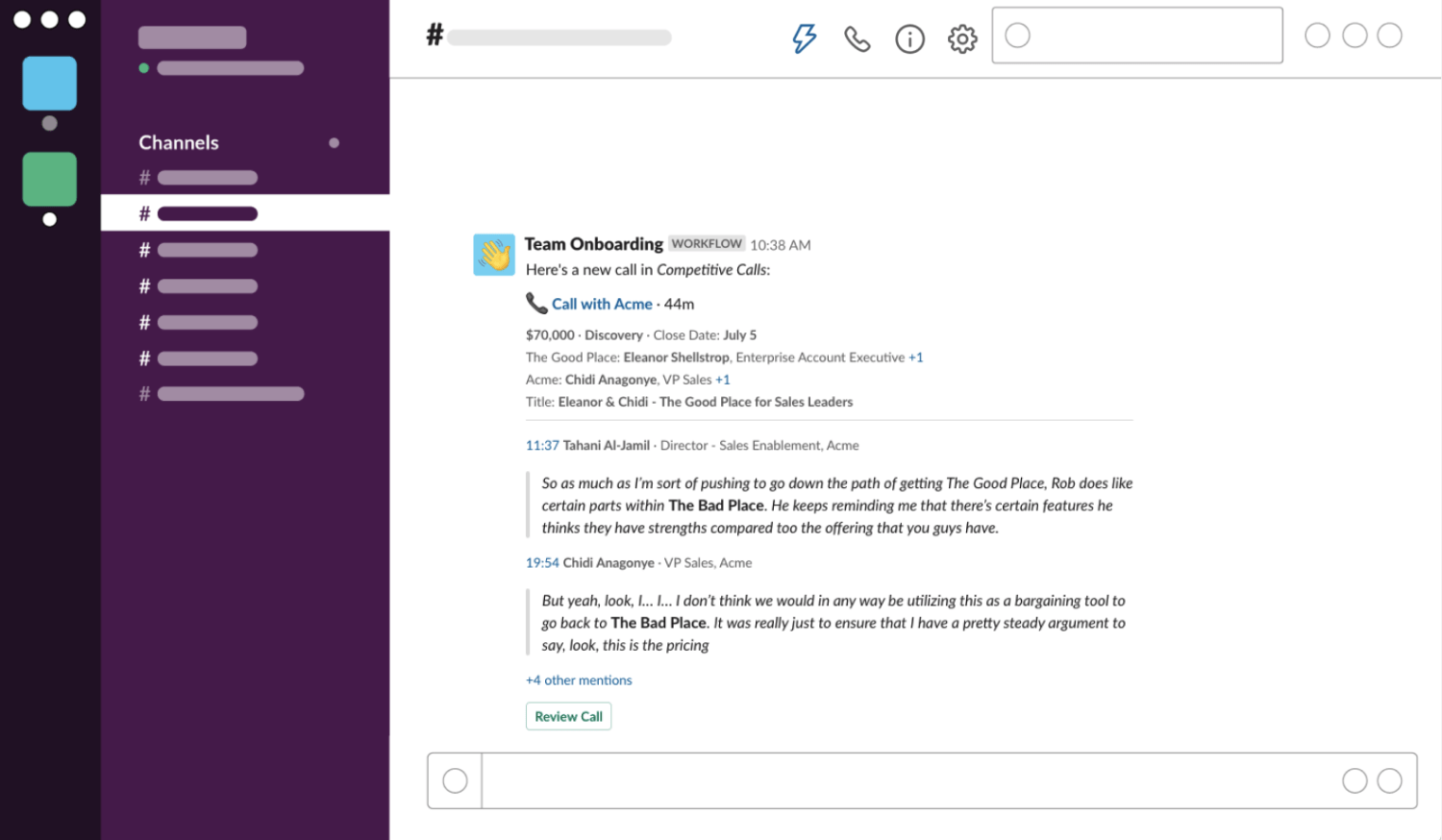
Features
Use Gong Call Data in Slack Channels
Use Gong calls to automate Slack notifications to empower teams with real-time insights and surface competitive mentions, coaching opportunities, partnership plays, and more.
Benefits

Slack Notifications Automated from Streams
Streams automatically group relevant calls as they happen based on custom logic and this integration enables real-time notification to public or private Slack channels to ensure no call is missed

Leverage Gong Calls in Public and Private Channels
This flexible integration allows admins to establish organization-wide Slack notifications and individual users to set notifications so they are alerted to Gong call comment activity in Slack
FAQ
Yes, once authenticated an admin can connect to multiple Gong Workspaces
Integration Diagrams
Data
Gong Call Data
Gong Call Data

Data
Slack Channels & Streams
Slack Channels & Streams
Connect
You must be an admin in both Gong and Slack to
connect to Slack.
- In Gong, go to Settings > Slack.
- Click CONNECT. You're redirected to Slack, and asked to choose your Slack workspace.
- Sign in to your Slack workspace.
- In the permission request page, click Allow to give Gong access to Slack. You're redirected back to the Slack integration settings page. You are now connected to Slack.
- If you want to turn on Slack notifications for all recorded users immediately, click YES in the Turn on Slack notifications message. Individuals will be notified in a private Slack channel when someone replies to their comment, someone mentions them in a comment, and someone comments on a call they follow. You can manage org-wide notifications in the Notification settings page. individuals can manage their own notifications settings in their "My notifications" page.