









Stilla
Stilla tracks conversations, tasks, and progress across meetings, docs, and repos to plan projects, write code, and accelerate teams.
About
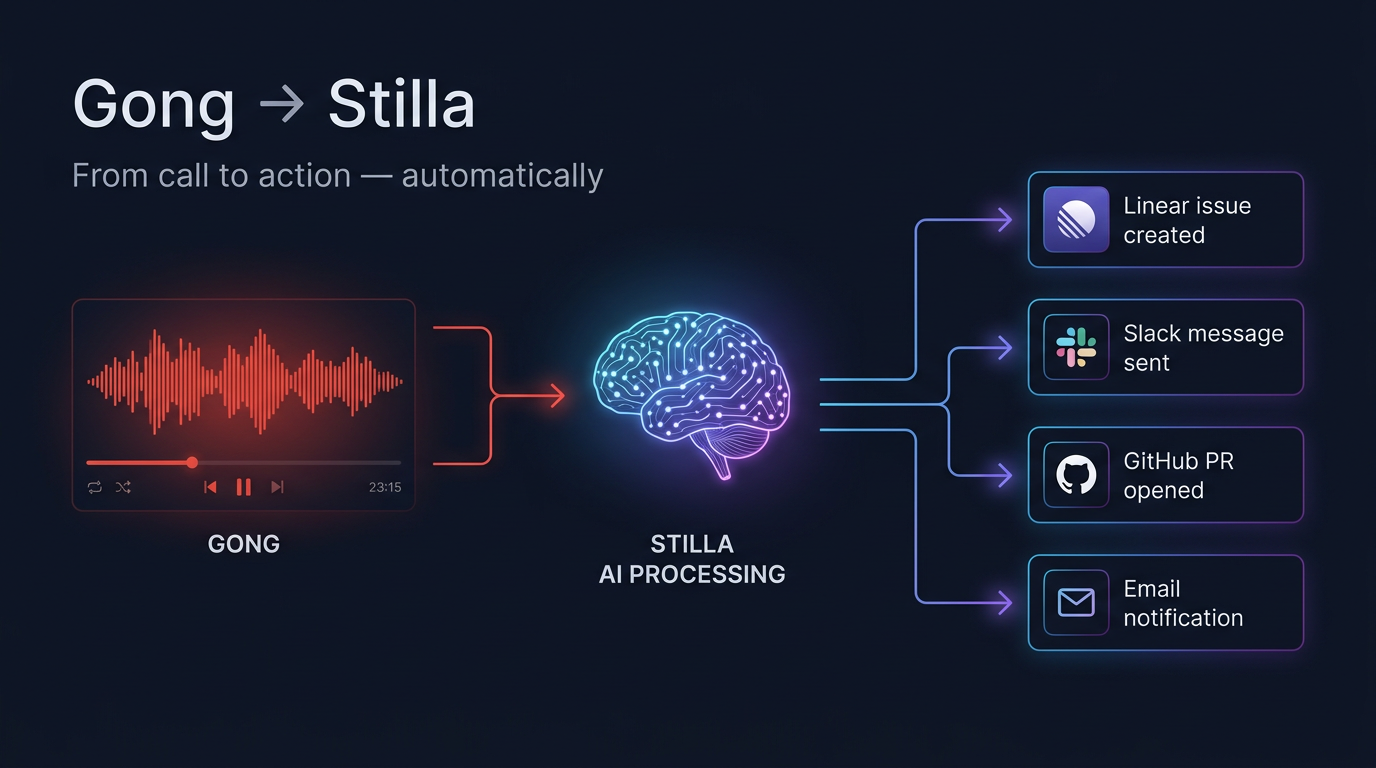
Stilla is your team's AI teammate. It processes your Gong conversations, extracts decisions and action items, and executes the follow-up — creating issues, drafting PRs, updating docs, and sending messages across your stack.
Media
Features
Use Gong Data in Stilla
Stilla automatically processes your Gong recordings and extracts the key signals: decisions made, action items assigned, and next steps agreed. It then executes the follow-up for you — opening Linear issues, drafting PRs, updating Notion docs, and sending Slack summaries to your team.
Benefits
Zero manual follow-up
Stilla handles the busywork after every call so your team can focus on selling and building.
Integration Diagrams
Go to Stilla Settings -> Connections and Connect Gong. Stilla will now have access to your Gong data.
Data
Call
Call

Data
Canvas
Canvas
Requirements
Authenticating User Requirements
To authenticate this integration for the first time, a user must be a Gong Tech Admin. Any role in Stilla works.
Subscriptions Required
Gong is available for Stilla users on any plan.
Connect
Connect your Gong account in Stilla to automatically process call recordings. Once connected, Stilla listens to every conversation and handles the follow-up — no manual notes required.