









Connect Gong Engage to Surfe
Surfe is your sales copilot for prospecting, wherever you work. Find the right leads, enrich them with verified emails and mobile numbers, and add them to your CRM and Gong Engage flows. Whether you’re building a list in Surfe or browsing LinkedIn, your next step is always close at hand.
About
Surfe helps sales teams prospect from first search to first conversation. Build target account lists, find the right leads with verified work emails and mobile numbers, and add contacts directly to any Gong Engage flow.
Surfe can also recommend leads that match your target account profile. Enrich their details and sync them to Gong Engage, all within your workflow.
Prospecting on LinkedIn? Surfe is there too. Add a contact from their LinkedIn profile to a Gong Engage flow in one click, without leaving the page.
Trusted by 6,000+ companies, including Google, HubSpot, Pipedrive, Elastic, and Pigment.
Media


Features
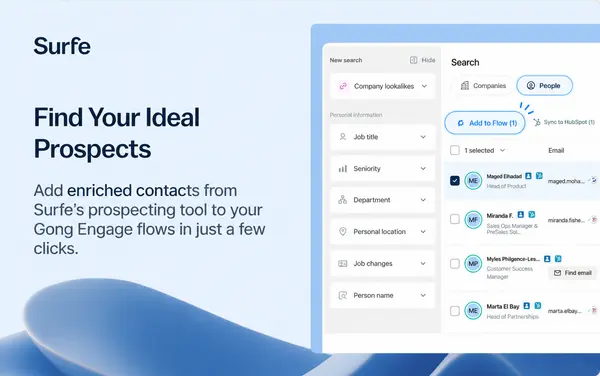
Add Contacts from Surfe to Engage Flows
Add enriched contacts from Surfe’s prospecting tool to your Gong Engage flows in just a few clicks.
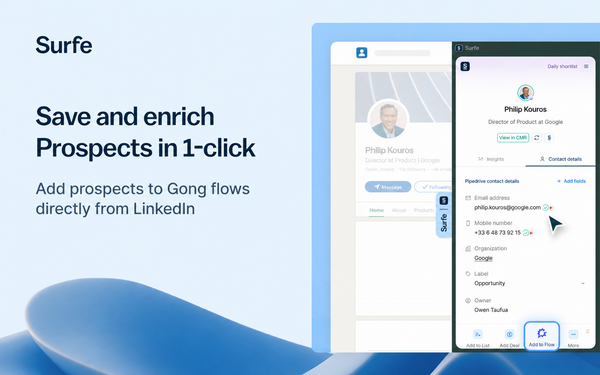
Add Contacts from LinkedIn to Engage Flows
Add enriched contacts directly from LinkedIn to Engage Flows, without leaving LinkedIn.
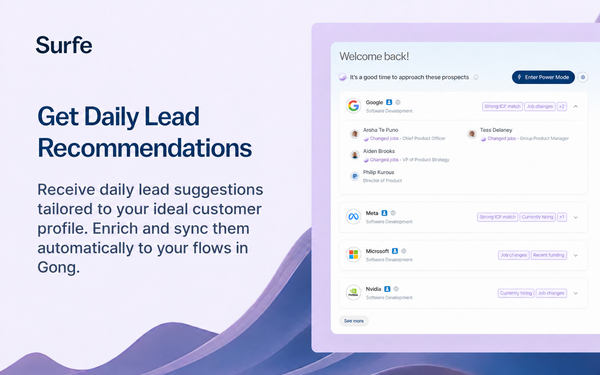
Get daily lead recommendations
Receive daily lead suggestions tailored to your ideal customer profile. Enrich and sync them automatically to your flows in Gong.
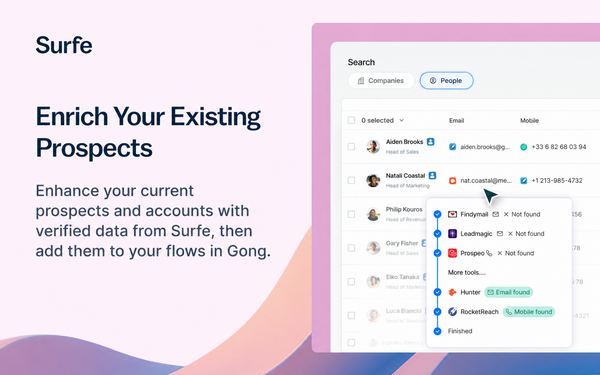
Enrich your existing prospects with Surfe data
Enhance your current prospects and accounts with verified data from Surfe, then add them to your flows in Gong.
Benefits
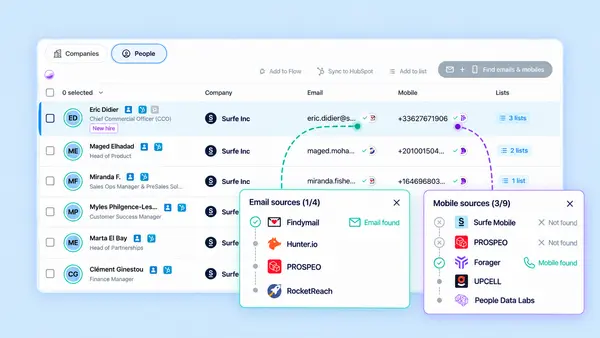
15+ premium data providers included. More prospects within reach.
Surfe’s enrichment waterfall searches 15+ providers for validated contact details, with an average find rate of 93% for emails and 75% for mobile numbers.
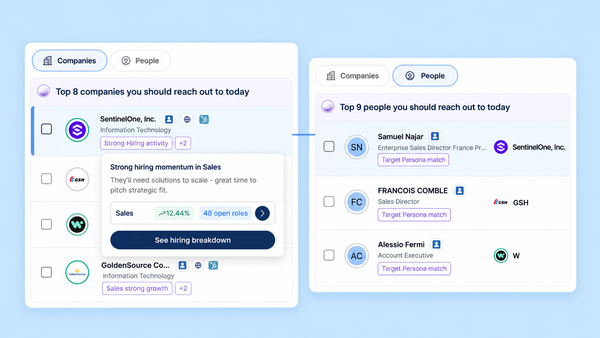
Never run out of leads to reach out to
Surfe recommends new leads each day based on your ideal customer profile and buying signals. Get enriched contact details so you can move from finding the right person to starting a conversation.
Integration Diagrams
Data
Gong Engage Flows
Gong Engage Flows

Data
Contacts' enriched information (mobiles and emails)
Contacts' enriched information (mobiles and emails)
Requirements
Subscriptions Required
Users must have a Surfe PRO subscription and a Gong Engage subscription
Authenticating User Requirements
A Gong Technical Admin connects Gong Engage once for the organisation. The connection is then available to all users in the Surfe workspace, so individual users do not need to connect or authenticate their own Gong accounts.
Connect
A Gong Technical Admin can connect Gong Engage for your entire Surfe workspace in a few steps:
- In the Surfe Dashboard, go to Tools & Apps → Email Automation.
- Select Gong Engage, then click Connect.
- Sign in to Gong as a Technical Admin and approve the requested permissions.
Once connected, your team can add contacts to Gong Engage flows from Surfe and LinkedIn.
Having trouble connecting? Make sure you’re signed in as a Gong Technical Admin. Only the person who connected Gong Engage or a Surfe admin can disconnect it. Disconnecting removes access for the entire workspace.