









Survicate
Capture more customer feedback and deliver a better customer experience
About
This integration enables seamless synchronization of Gong Call Transcripts to the Survicate Insights Hub and centralizes customer conversations and feedback.
With automatic sync and flexible options to import historical transcripts users can easily capture and analyze key insights from Gong calls, empowering data-driven decision-making and enhanced customer experience strategies.
With automatic sync and flexible options to import historical transcripts users can easily capture and analyze key insights from Gong calls, empowering data-driven decision-making and enhanced customer experience strategies.
Media
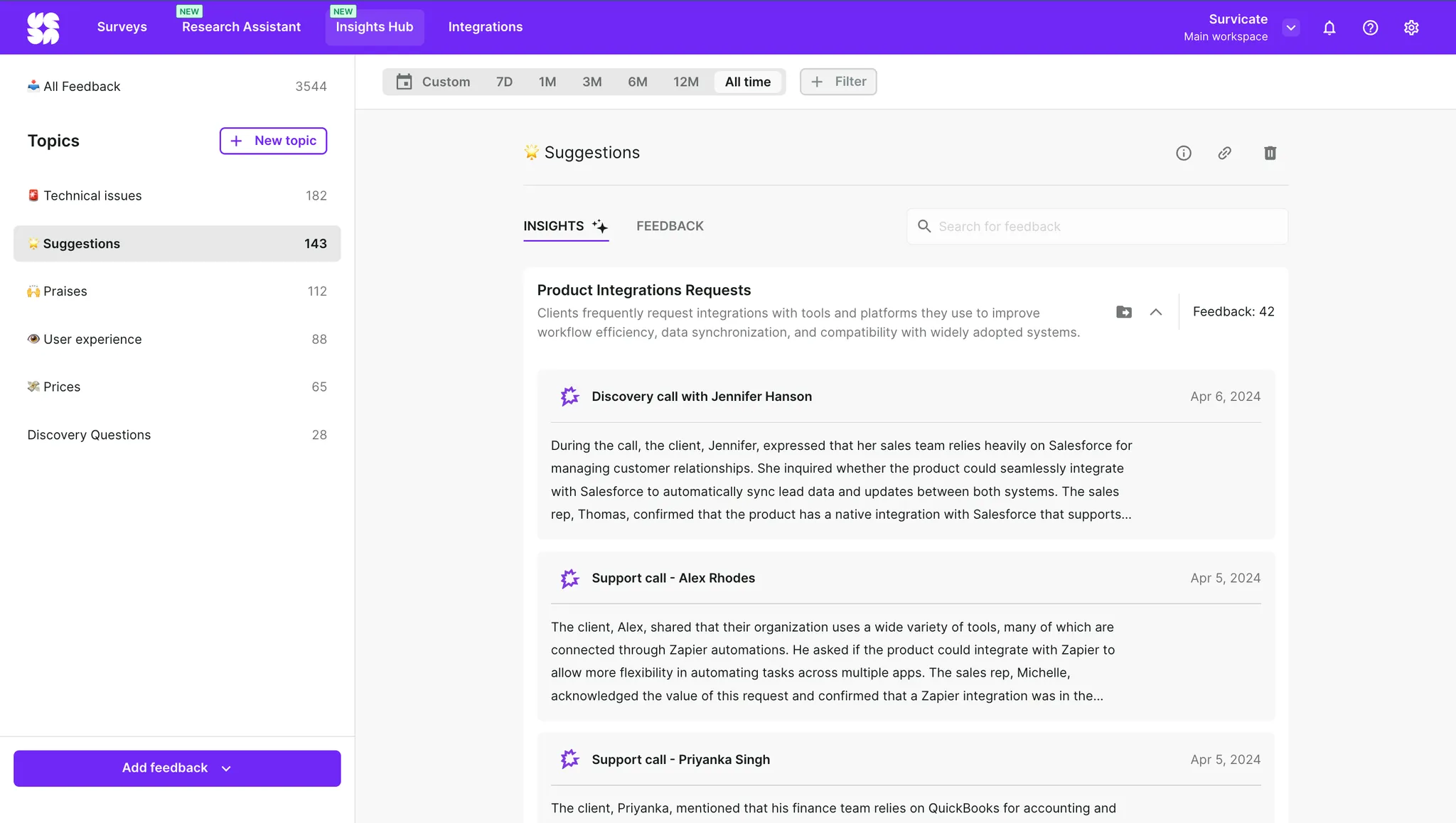
Features

Use Gong Data in Survicate
- Continuously sync Gong Call Transcripts
- Fetch past Gong Call Transcripts upon connection
- Automatically extract insights from transcripts and detect sentiment
- Automatically assign transcripts to your custom topics
FAQ
Call transcripts are automatically synchronized every hour for new calls once the integration is enabled.
Yes, when setting up the integration, you can choose to import past call transcripts from the last 30 days, last quarter, last 6 months, or last year. You can also skip importing past data if you prefer to sync only new call transcripts going forward.
Integration Diagrams
Data
Gong Call Data
Gong Call Data

Data
Survicate
Survicate
Requirements
Subscription Requirements
- Survicate self-service plans with a free 10-day trial
- Custom package with sales assist - book a call here
- Available with all Gong subscription levels
Authenticating User Requirements
To authenticate this integration for the first time, a user must be a Gong Tech Admin and have admin permissions in Survicate.
Connect
- Log in to your Survicate account
- Navigate to Integrations in the top bar
- Find “Gong” integration and click on it
- Click the “Connect” button
- Complete oAuth as prompted
- Enable automatic synchronization of Gong call transcripts to Survicate Insights Hub and click “Save”
- Choose the time frame of past call transcripts to import and click “Import”