








trumpet
Create beautiful, personalised, trackable and interactive digital sales pods in a few clicks with trumpet
About
Trumpet is a buyer enablement platform where sales and customer success teams centralize buyer journeys with Trumpet Pods (microsites) - interactive, collaborative and trackable spaces that are proven to close more deals quicker.
Add Gong Recordings to Trumpet Pods to centralize buyer journeys and view buyer engagement on Gong Activity Timelines.
Features
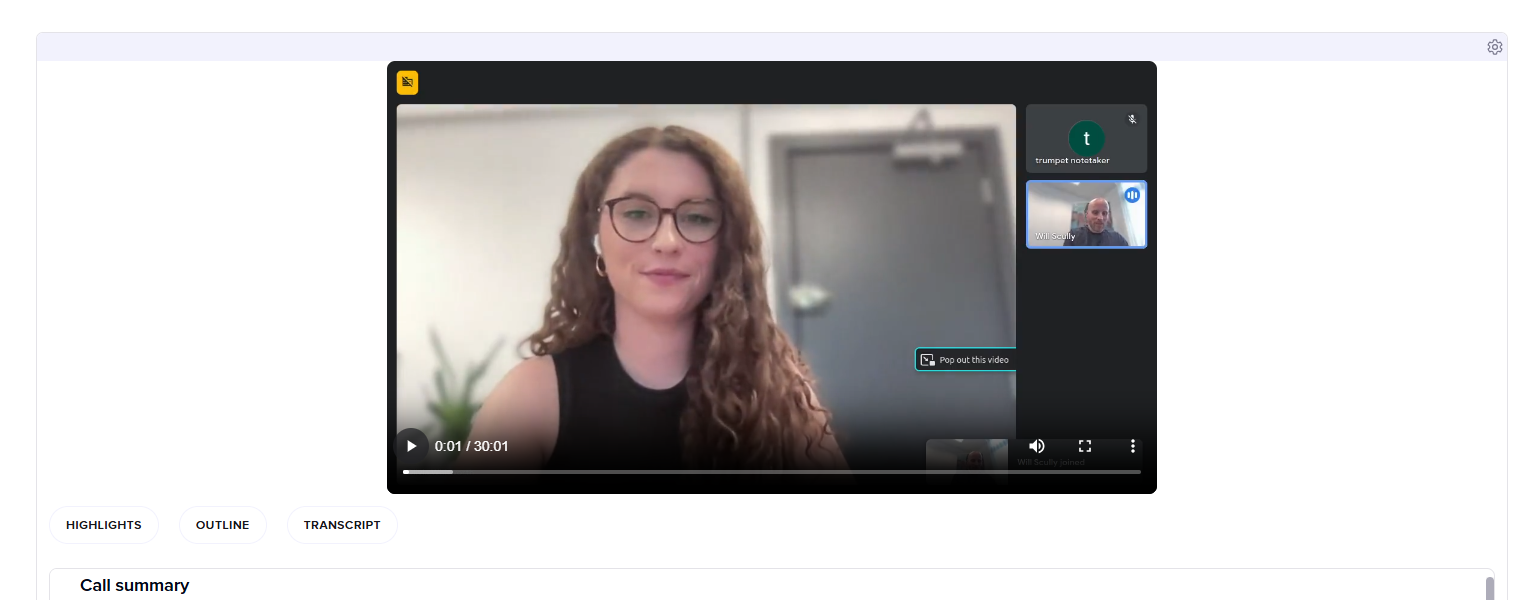
Embed Gong Calls in trumpet
Embed Gong Calls in trumpet Pods to keep all stakeholders up to speed on relevant conversations and improve the centralized buyer journey.
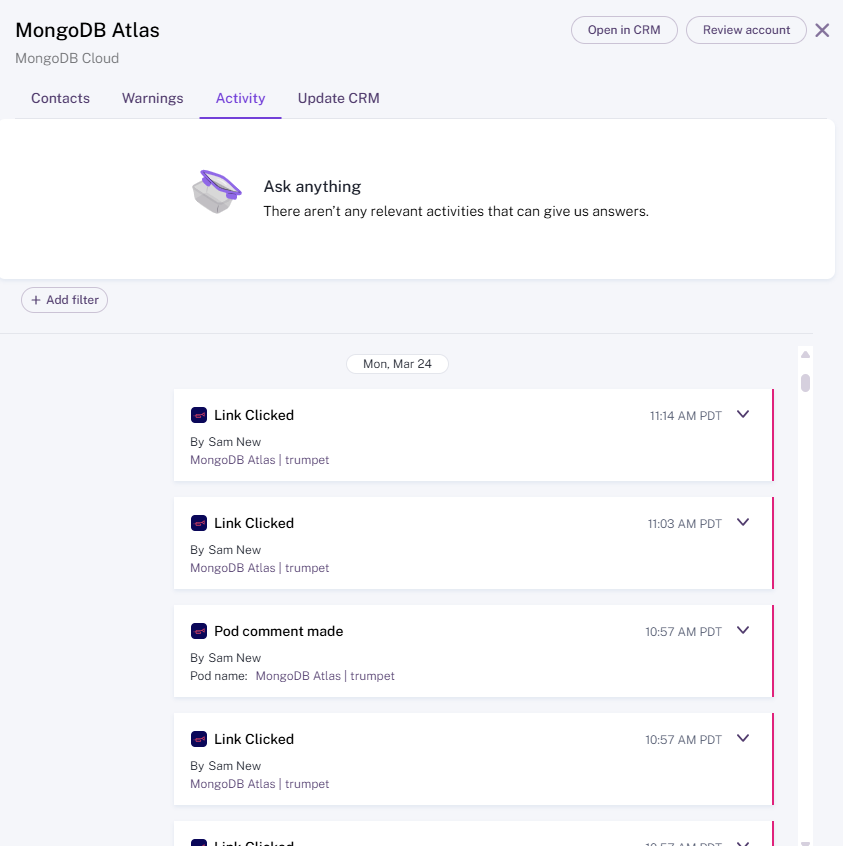
Push trumpet Events to Activity Timelines
Pod analytics such as Views, Document Downloads, Comments or Completion of Mutual Action Plan Steps are sent to Gong Activity Timelines to facilitate more accurate forecasting.
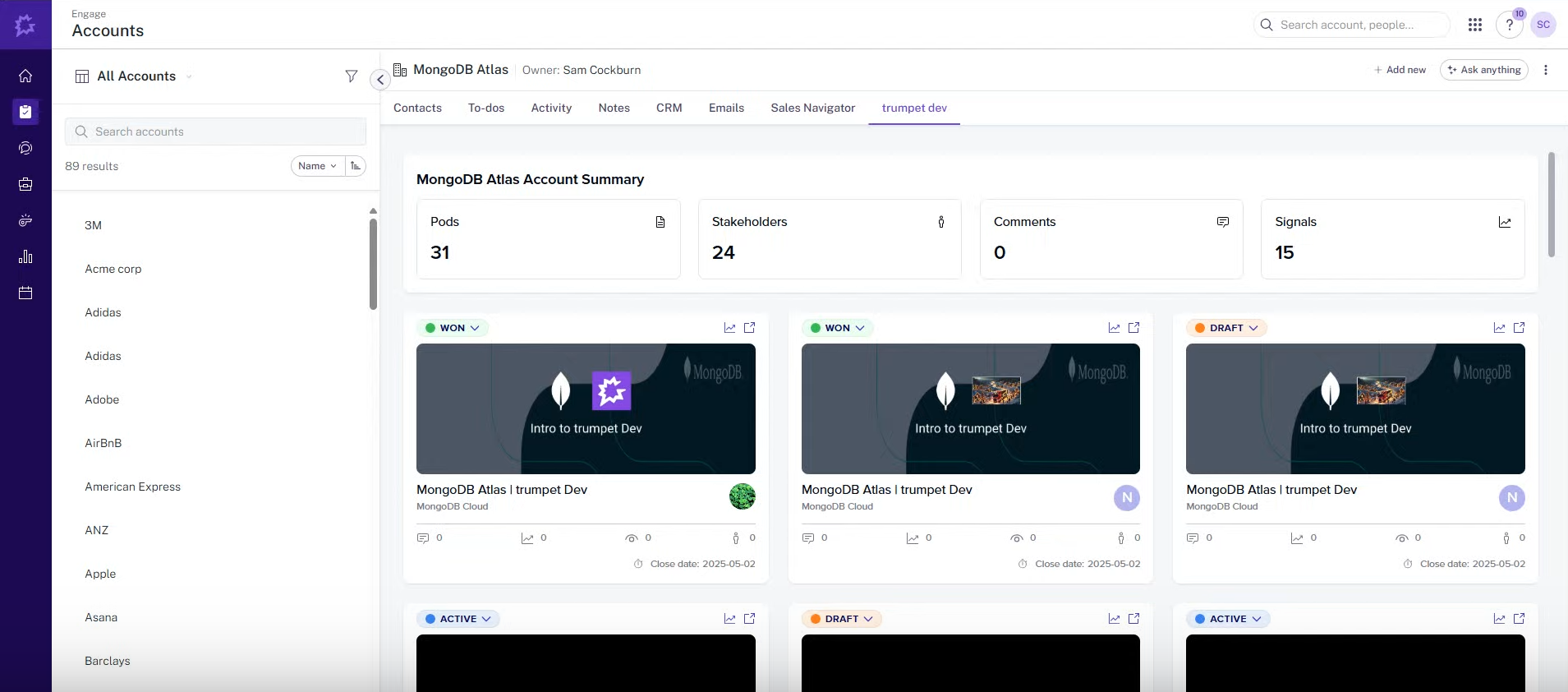
Show trumpet in Gong Engage
Get an overview of all your trumpet Pods broken down by account inside Gong Engage.
Benefits

Mutual Action Plans
Keep buyers and sellers aligned with Trumpet's Mutual Action Plan Widget - providing visibility on what's coming next and maintaining accountability that keeps deals moving forward with assigned next steps with due dates and file uploads.

From Outreach to Onboarding
Trumpet's Pods (microsites) are used as Digital Sales Rooms for Business Cases, Post Demo Follow Ups, Proposals, Onboarding, and much more.
They're auto-personalized, interactive & trackable spaces, created in minutes and used to collaborate with buyers while centralizing everything they need to make decisions from one link.
They're auto-personalized, interactive & trackable spaces, created in minutes and used to collaborate with buyers while centralizing everything they need to make decisions from one link.
FAQ
The Gong and trumpet integration work well with Salesforce and HubSpot for all parts of the integration except for the Gong Engage part, which only works with Salesforce right now.
Insights into the async buyer journey such as Pod views, comments, attachment downloads, steps completed in mutual action plans and more
The full sales cycle or a single stage in the buyer journey, it's up to you!
Integration Diagrams
Data
Calls
Calls
Activity
Activity

Data
Pods
Pods
Signals
Signals
Requirements
Authenticating User Requirements
To authenticate this integration for the first time, a user must be a Gong Tech Admin and have admin permissions in trumpet
Subscriptions Required
Must have trumpet Scale or Elite subscription
Must have Gong Engage subscription to utilize the Account View feature
Must have Gong Engage subscription to utilize the Account View feature
Connect
- Log in to trumpet.app
- Go to the Integration page
- Click 'Connect' on the Gong integration and follow the approval flow
- Once connected, you’ll be able to add the Gong Widget and any Gong Recordings to your trumpet
- You'll also start receiving any events on the Gong Activity Timeline from your trumpet Pods that are connected to your CRM
- The trumpet tab will become available in the Gong Engage account section