









Veles CPQ
Sales reps shouldn’t have to fight their tools. Veles gives them fast, flexible ways to price a deal and show the ROI in minutes. RevOps gets to choose exactly what they need — quotes, document workflows, subscription management — without buying the parts they don’t.
About
Veles is a lightweight CPQ and pricing engine for enterprise revenue teams. Reps spin up clean quotes and ROI business cases in minutes. RevOps turns the dials—approvals, doc workflows, subscriptions—without buying bloat.
With the Gong integration, Veles turns conversation truth into pricing truth. Competitive mentions, next steps, and risk signals from Gong flow into Veles so reps price with context and managers keep deals moving.
With the Gong integration, Veles turns conversation truth into pricing truth. Competitive mentions, next steps, and risk signals from Gong flow into Veles so reps price with context and managers keep deals moving.
Media
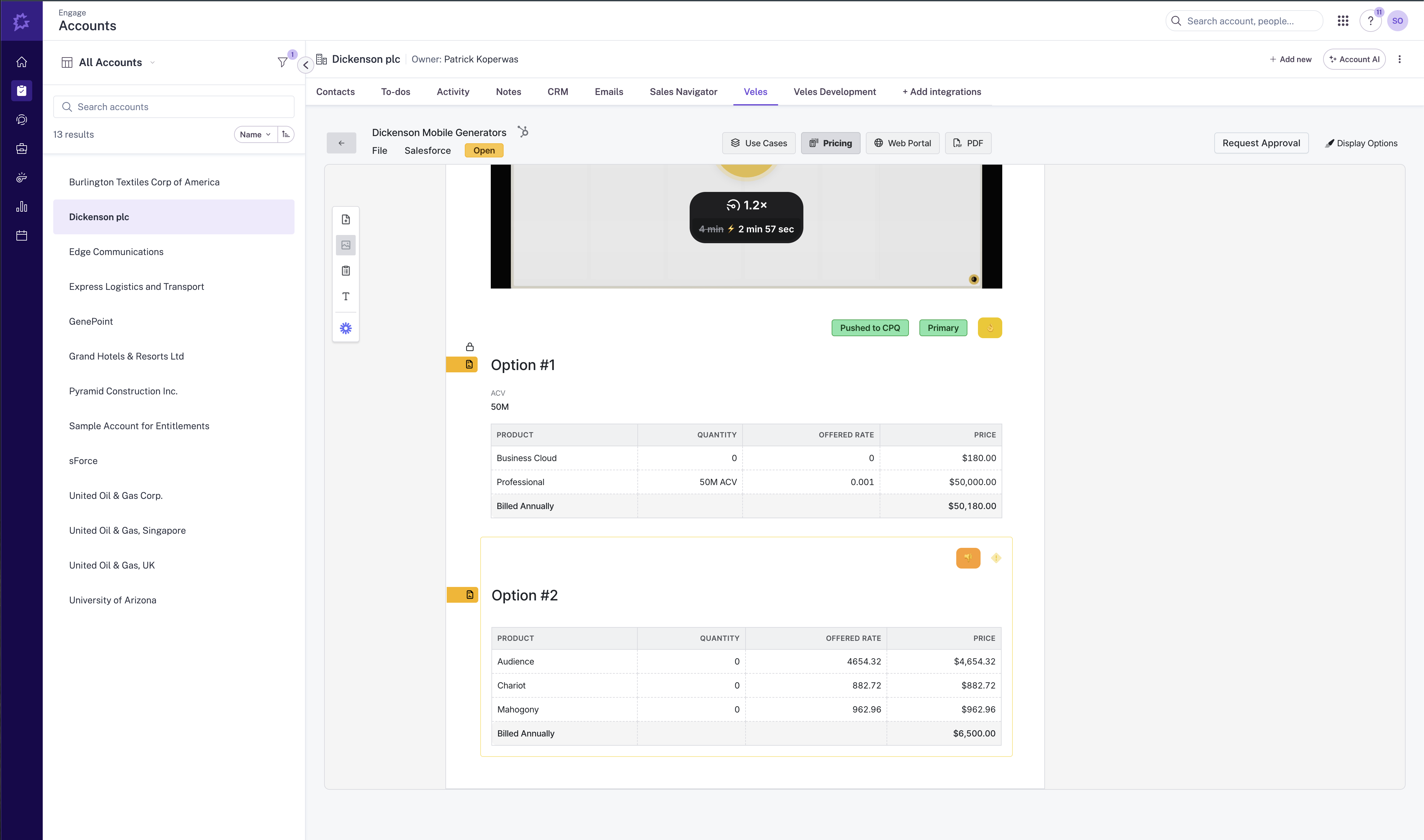
Features

Show Veles in Gong
Start a Veles quote from any Gong Call directly from the Gong Account Page. Participant and account context are pulled in automatically.

Use Gong Data in Veles
Mentions and trackers from Gong nudge the right bundles, floors, and terms—no hunting in wikis.

Push Veles Events to Activity Timelines
Feed actual quote data into Gong's revenue intelligence, giving you boots on the ground insight at scale.
Benefits

Price faster. Close cleaner.
Your sales team can call, quote, and close deals without ever leaving Gong!

Call data informs the numbers
You'll be able to see how quotes are aligning with the sales conversations and highlight gaps where revenue is left on the table.

Lower rework, Fewer approvals
Veles can pull call transcripts to be included in Deal Desk reviews.
FAQ
Yes. Veles supports every pricing model, including multiple variable pricing. Try us!
Veles can use Gong data to provide recommendations and build quotes with your guidance.
Yes, Veles integrates with most CPQ products on the market. Your sales team will no longer need to spend wasted hours trying to figure out how to build complex quotes in your CPQ.
Integration Diagrams
Data
Gong
Gong

Data
Veles
Veles
Requirements
Subscriptions Required
Must have Veles subscription
Must have Gong subscription
Must have Gong subscription
Authenticating User Requirements
To authenticate this integration for the first time, a user must be a Gong Tech Admin and have admin permissions in Veles
Connect
You must be an admin in both Gong and Veles to connect.
In Gong
- Go to Settings → Integrations → Veles.
- Click Connect and choose your Gong workspace.
- Approve permissions.
In Veles
4) Go to Admin → Integrations → Gong.
5) Click Connect Gong, select the workspace, and approve.
4) Go to Admin → Integrations → Gong.
5) Click Connect Gong, select the workspace, and approve.